


We’re excited to announce the release of myCred v2.9, packed with enhanced user experience alongside streamlined and significant UI improvements. This update is designed to make managing your reward points system smoother and more efficient.

Here’s a comprehensive breakdown of everything included in this release.
New Improvements in myCred v2.9
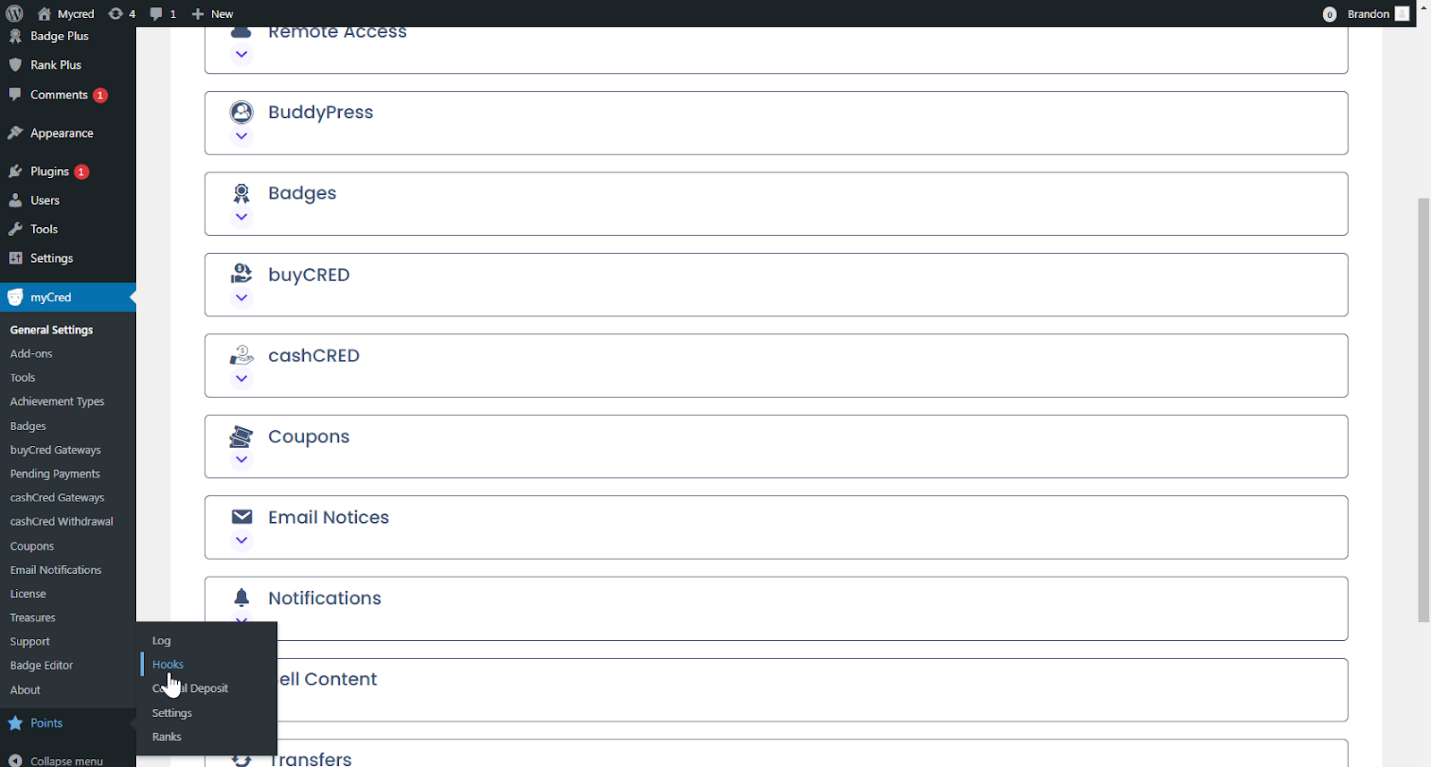
Streamlined Hooks Interface
- Hooks are now displayed in a single column for easier access, making navigation intuitive for admins.
Built-in Add-ons
- Four add-ons are now part of the core myCred plugin:
- myCred Badge Plus
- myCred Rank Plus
- myCred Badge Editor
- myCred Birthday
Integration Enhancements
- myCred Elementor: Merged into the core plugin for seamless design capabilities.
- BuddyBoss Theme Compatibility: Ensures smooth integration with BuddyBoss themes.
Revamped UI for Add-ons
- Redesigned user interface for built-in add-ons, improving user experience.
Detailed Feature Breakdown
- Hooks UI Update
- Hooks are now organized in a single-column layout, simplifying navigation and ensuring quick access for admins.

2. Built-in Add-ons Overview
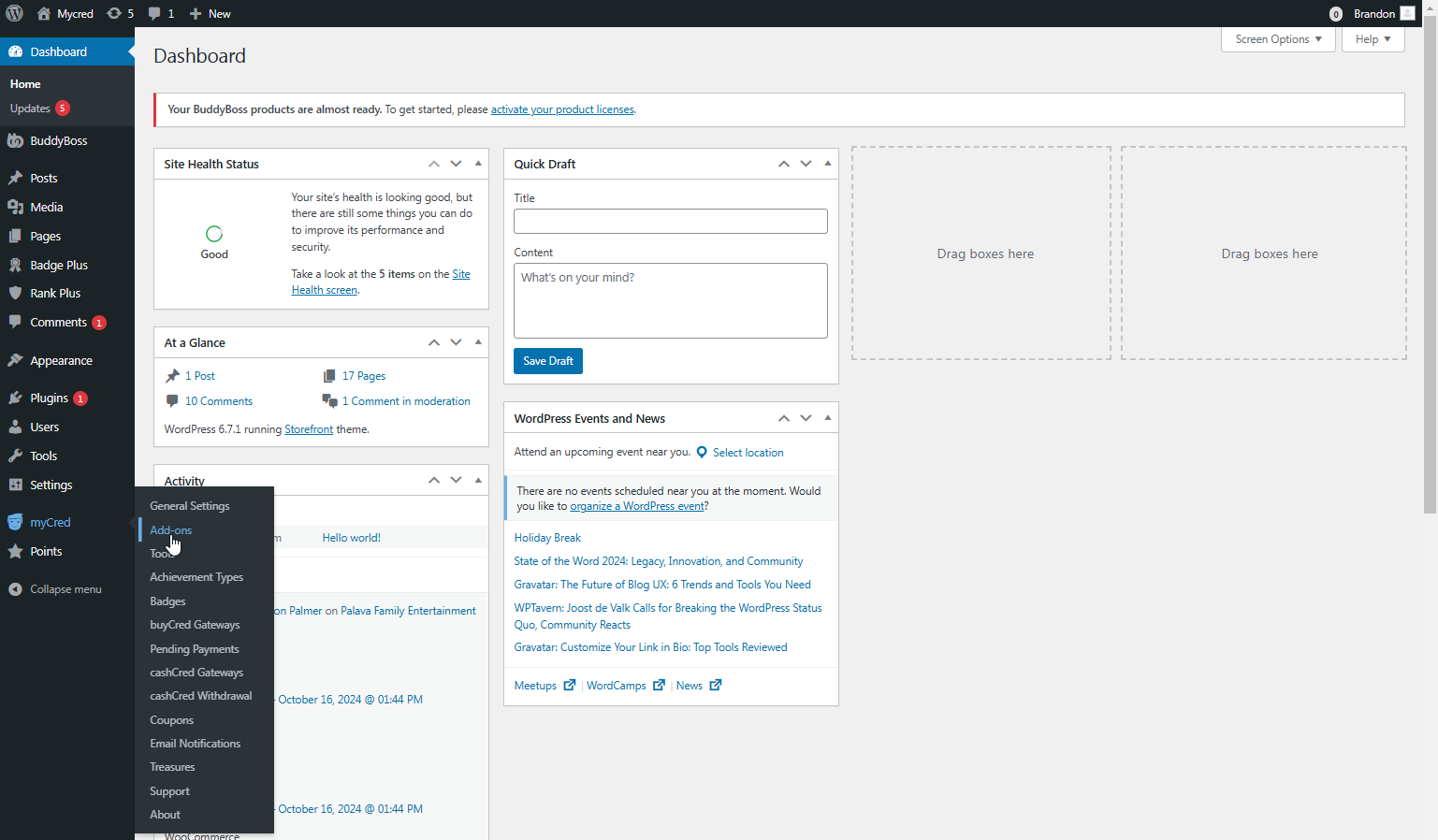
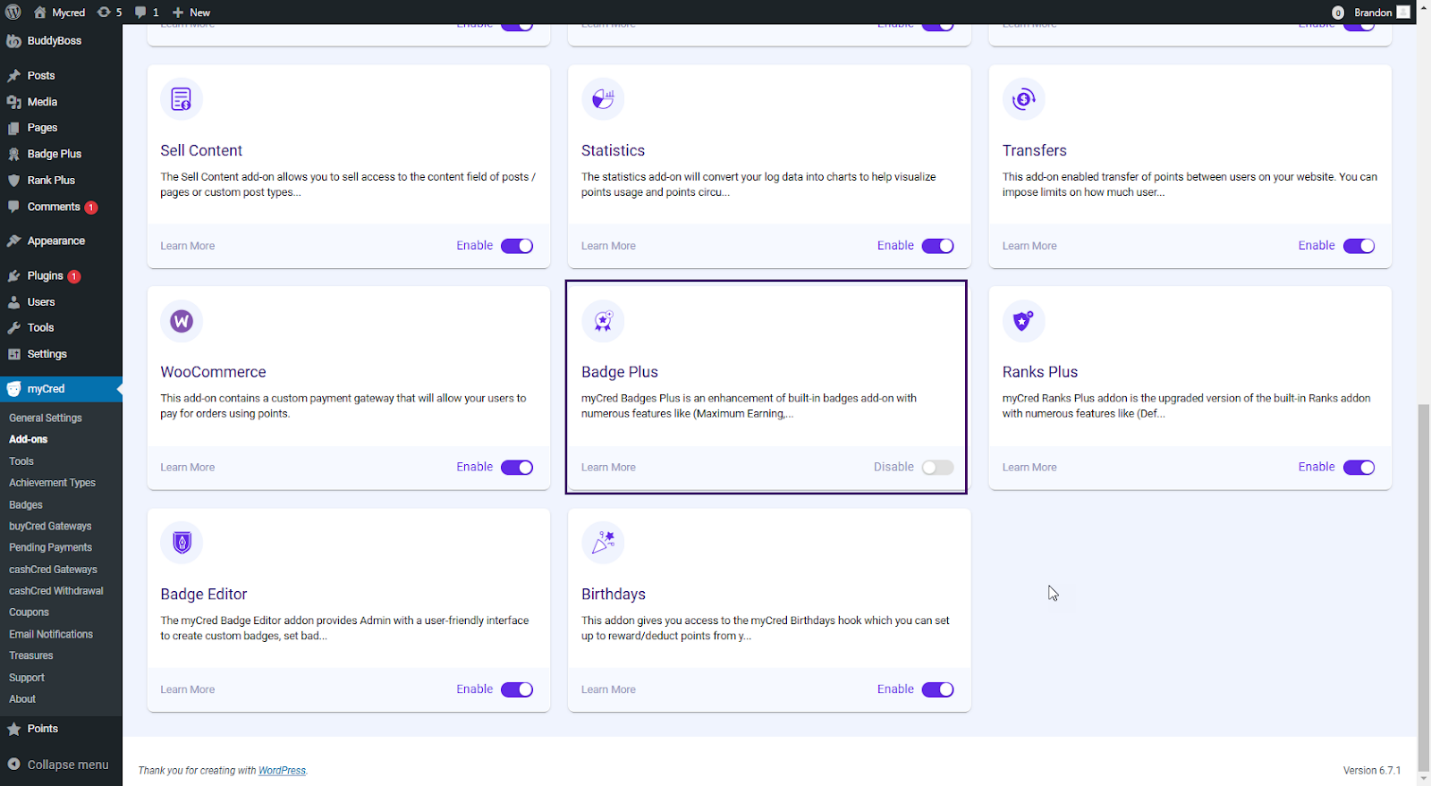
- a) myCred Badge Plus
- No separate installation is required.
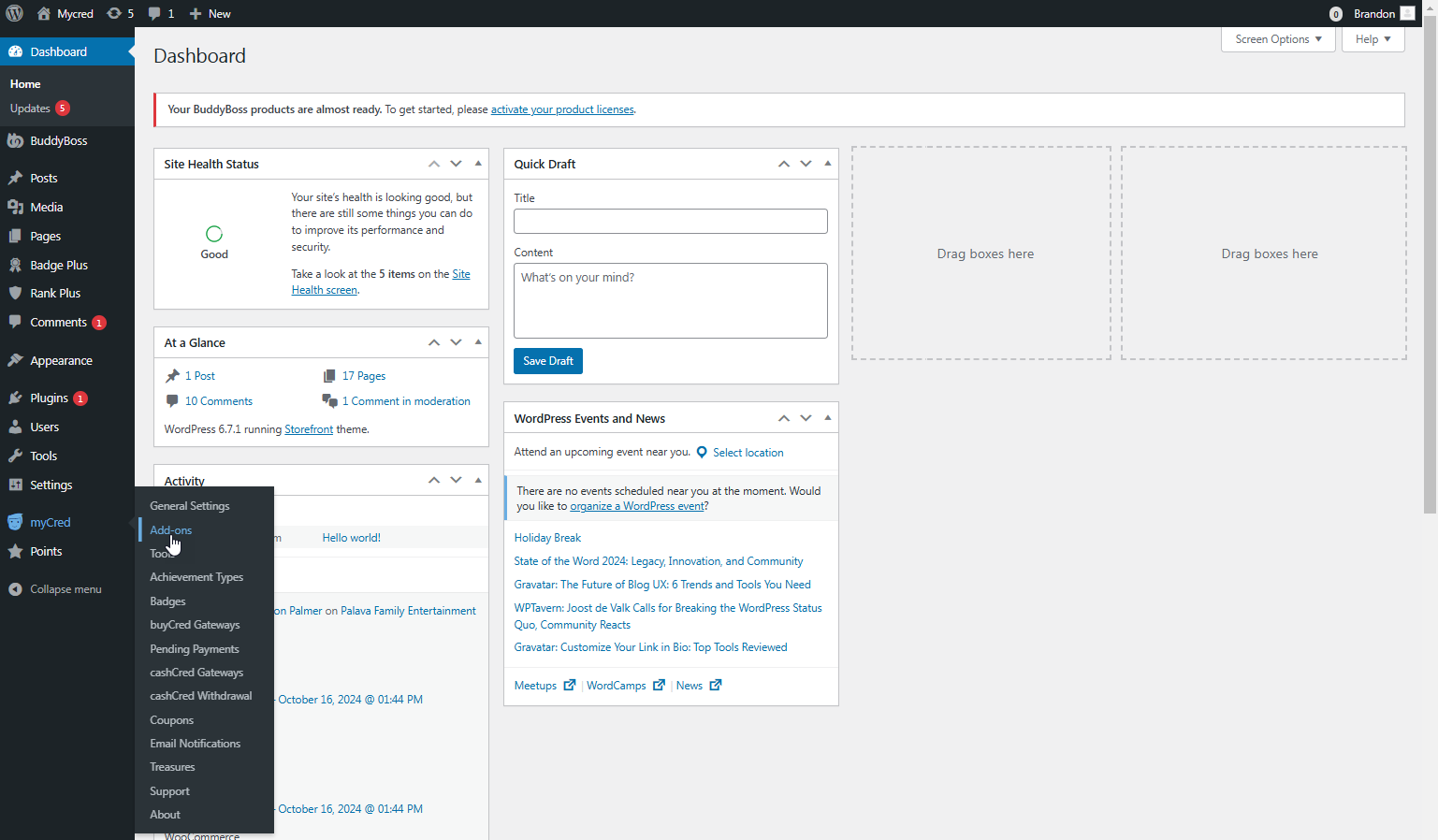
- Access via: WordPress Dashboard → myCred → Addons → Badge Plus.
- Enable the add-on to use Badge Plus features.
- b) myCred Rank Plus
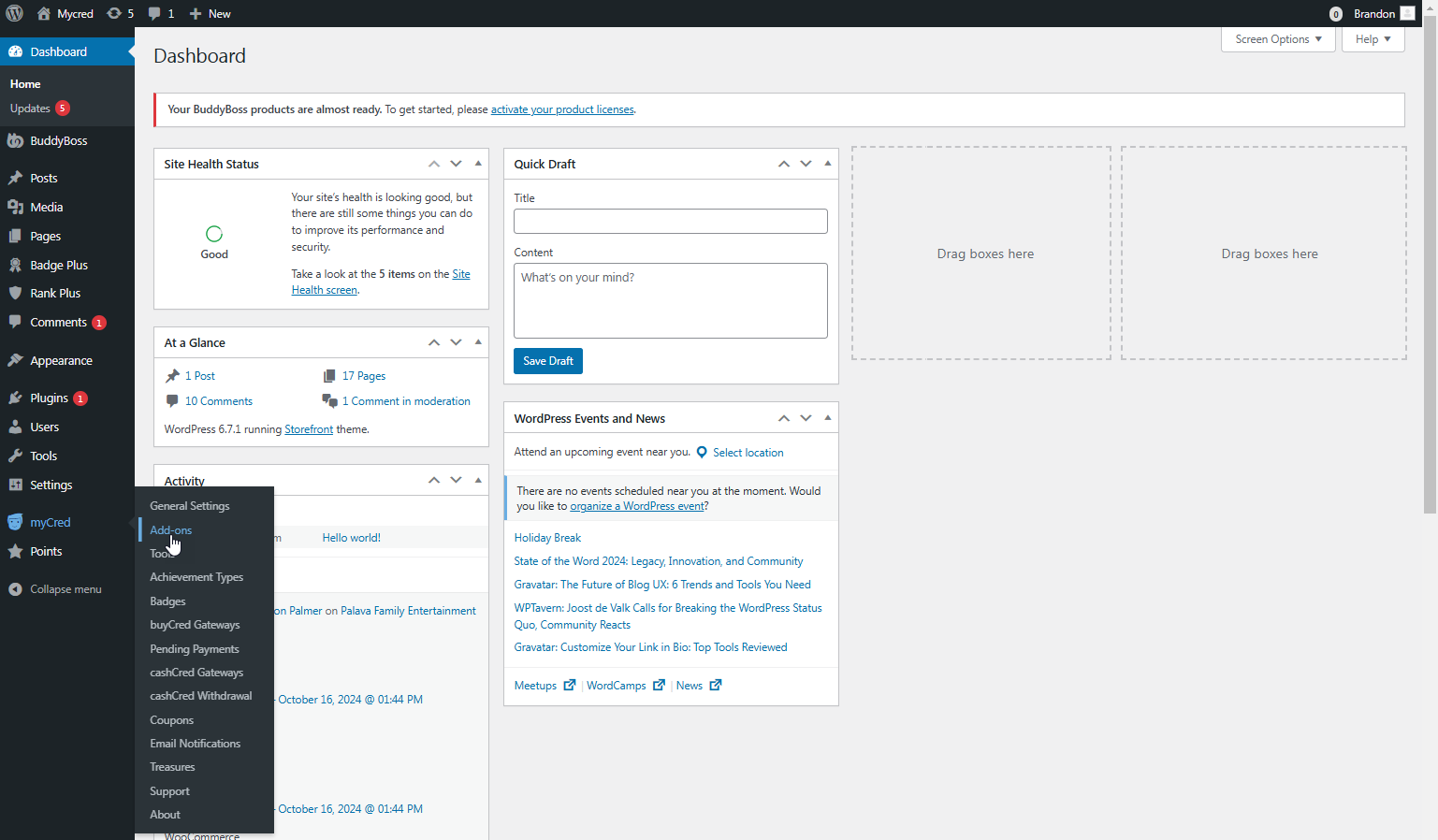
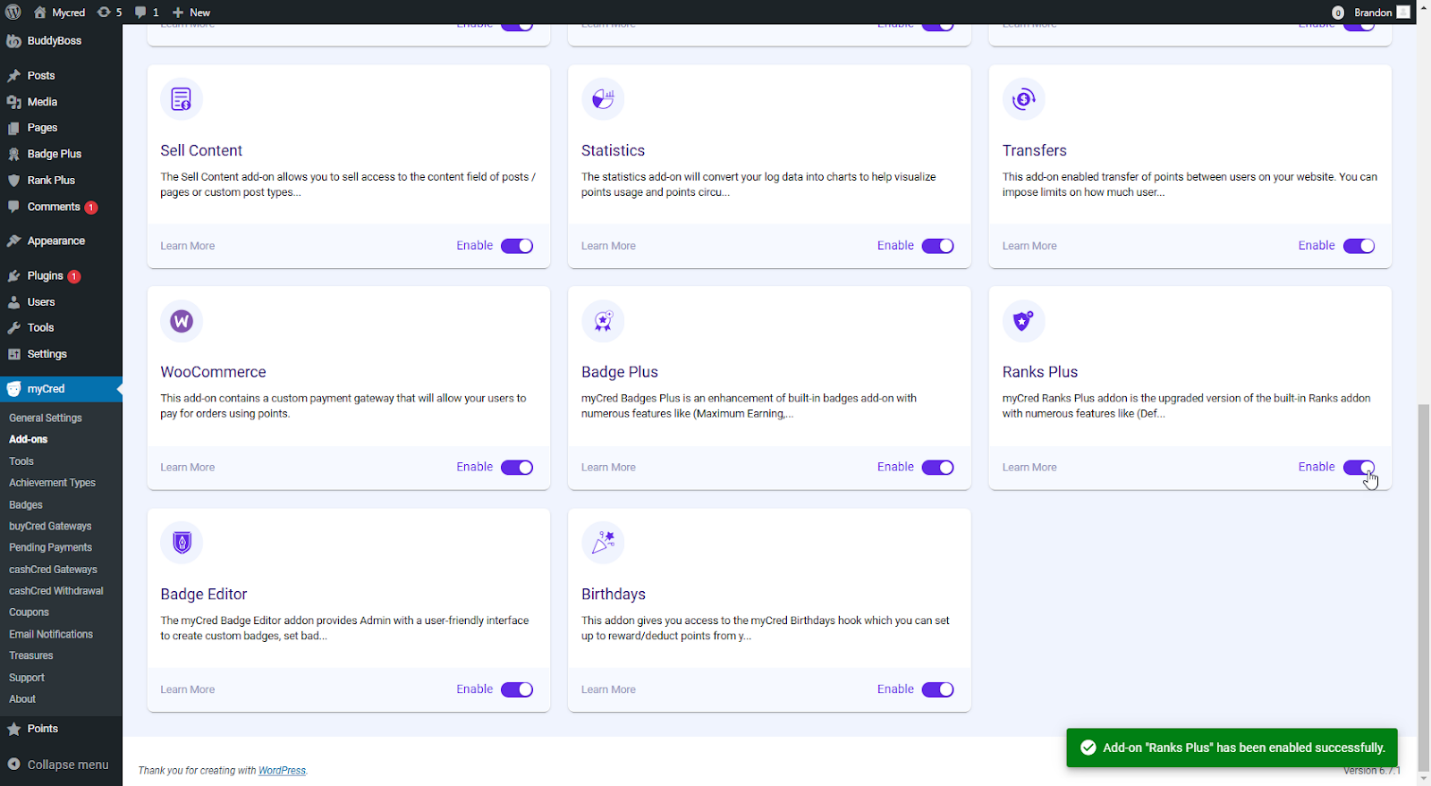
- Fully integrated into the core plugin.
- Access via: WordPress Dashboard → myCred → Addons → Rank Plus.
- Enable the add-on for ranking functionality.
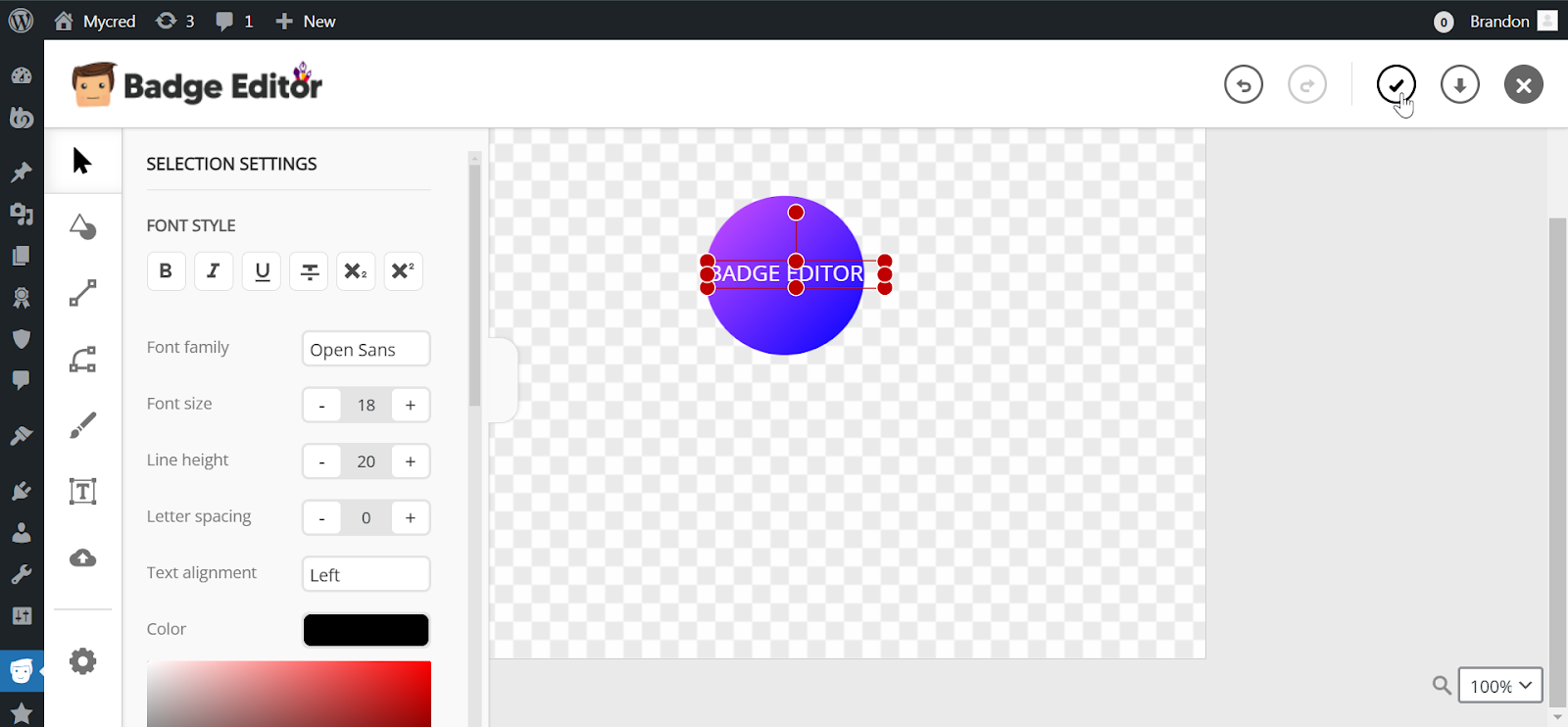
- c) myCred Badge Editor
- Edit badges directly from the WordPress dashboard.
- Access via: WordPress Dashboard → myCred → Badge Editor.
- Once enabled, admins can customize badges seamlessly.
- d) myCred Birthday
- Celebrate user birthdays by integrating this add-on into your rewards system.
- Access via: WordPress Dashboard → myCred → Addons → Birthday.
- Activate the Birthday hook under myCred Points → Hooks.

3. myCred Elementor Integration
- Design Pages with Ease:
- Navigate to Pages → Add New or Edit a Page → Edit with Elementor.
- Drag and drop the new myCred block directly into your page layout.

- Frontend Impact:
- Allows real-time customization and better point display on pages.

4. BuddyBoss Theme Compatibility
- Easily integrate myCred points into BuddyBoss themes for a unified experience.
- Steps to Enable:
- Install and activate the BuddyBoss theme via Appearance → Themes.
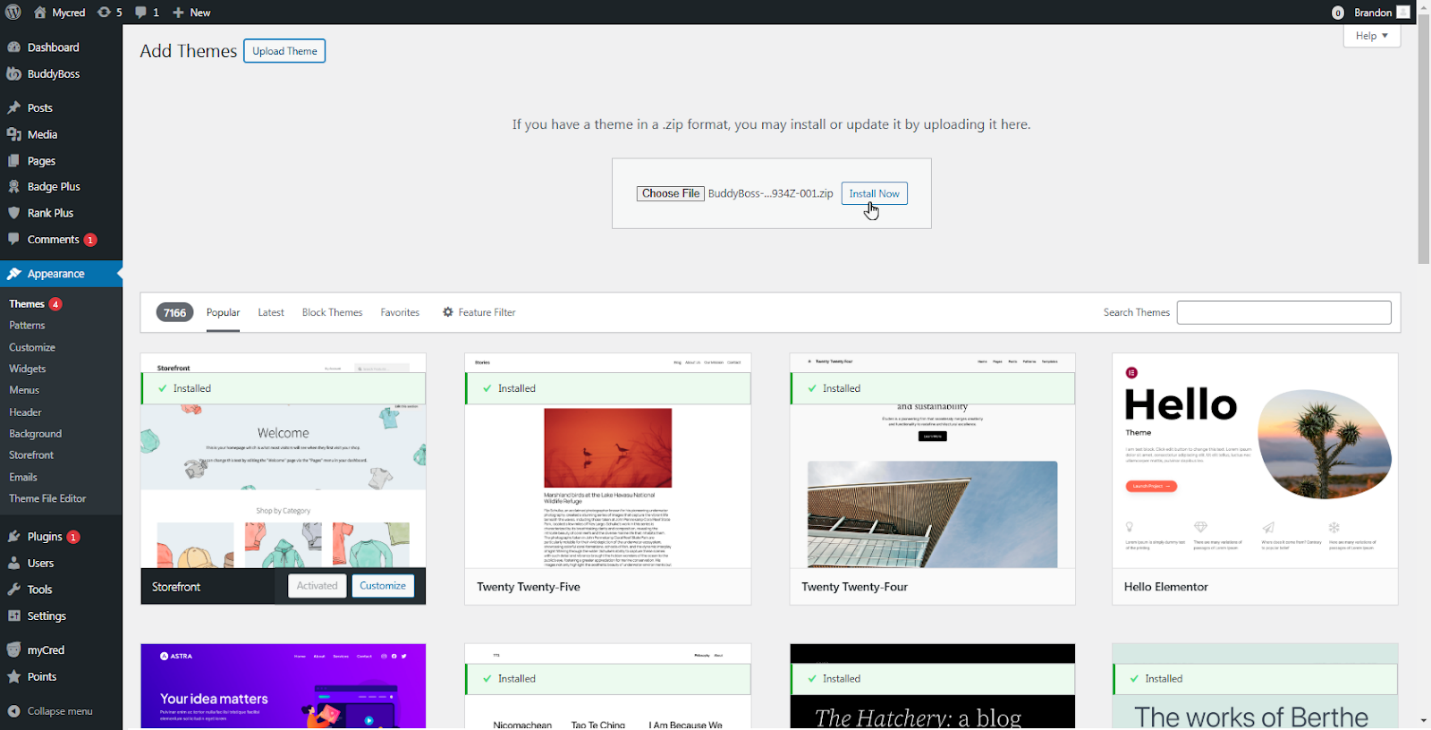
- Customize the theme to include myCred points display.
 \
\
Why Update to myCred v2.9?
This release is designed to streamline your workflow and improve myCred user experience. From integrated add-ons to seamless design tools and theme compatibility, myCred v2.9 is a must-have update for any WordPress points reward system.
Ready to Upgrade?
Update your plugin to the latest version today and apply these incredible features. Have any questions? Contact our support or explore our documentation for step-by-step guidance.