





myCred 4.0 Beta is now available as a public beta, and it’s the biggest visual and functional shift in the plugin’s history. Two things changed at the core.
First, the entire admin interface has been rebuilt on React. Every screen you’ve used for years now runs on a modern, component-based interface instead of the classic WordPress settings tables.
Second, myCred ships with an AI Assistant, in beta, that lets you configure and manage your loyalty program using plain English instead of clicking through menus.
This guide walks through what’s new and what it will look like.
React-based UI: New Look & Feel
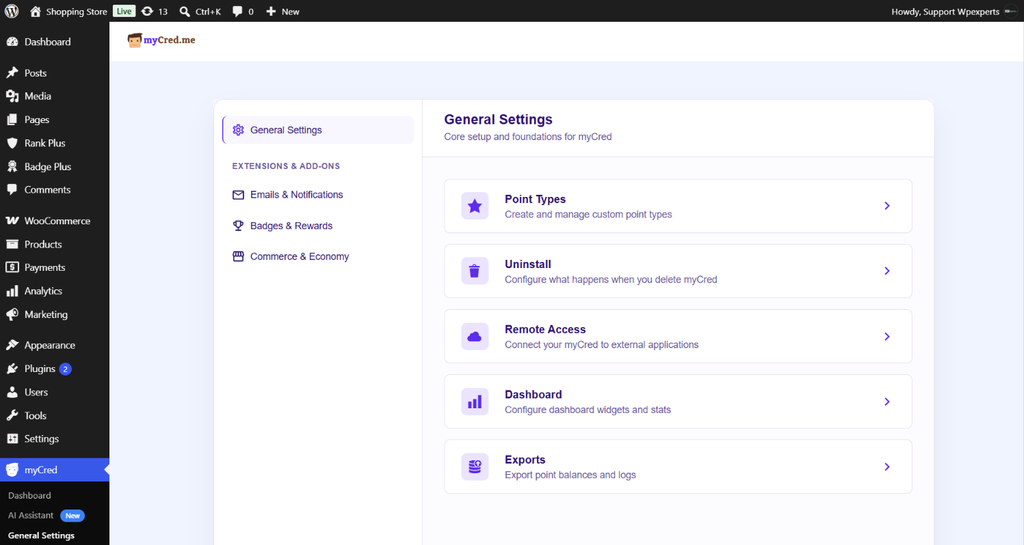
myCred’s admin interface has been rebuilt from the ground up on React, replacing the old WordPress settings tables entirely.
Here is what’s changed:
Card-based settings
General Settings, Point Types, Uninstall, Remote Access, Dashboard, and Exports are now organized as clickable cards instead of a long scrolling page.
A real analytics dashboard
The new Dashboard shows:
- A Loyalty Metrics Hub (active members, points awarded, points deducted, outstanding points)
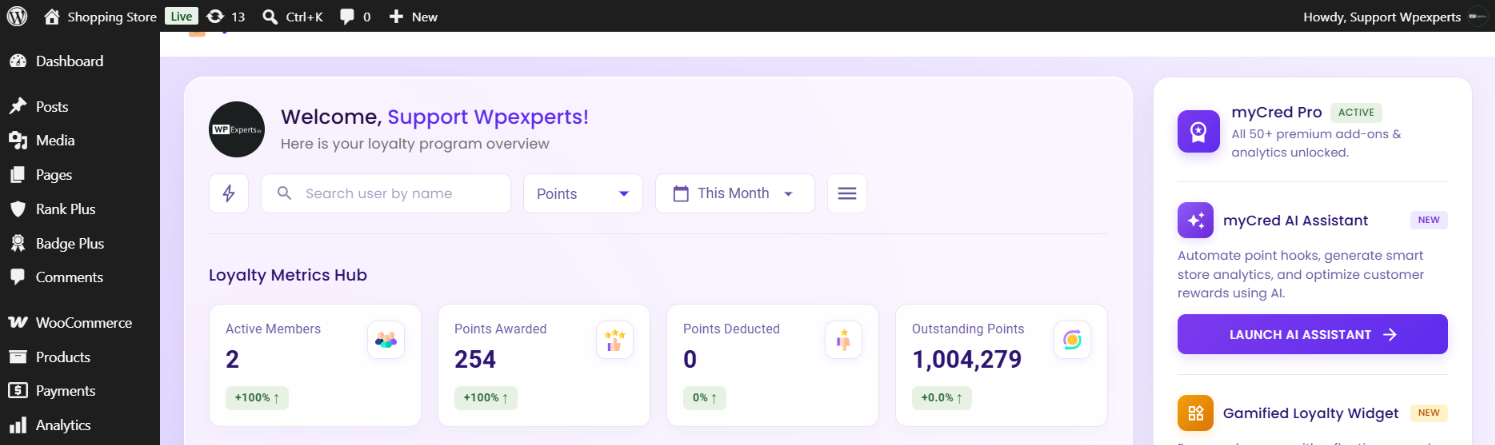
- A WooCommerce Metrics Hub (points earned, points redeemed, revenue, average order value lift)
- Hooks have been redesigned with React-based UI. There are 14 built-in hooks available in myCred. Additional hooks can be added through various add-ons.

New visual identity
Purple accent colors, rounded cards, clean typography. The plugin now looks and feels like a modern SaaS product, not a legacy WordPress add-on.
Recent Activity and Top Members now sit directly on the dashboard, no digging through logs required.
Everything is still WordPress-native. The interface just finally looks clean and speed-enhanced.
myCred AI Assistant (Beta)
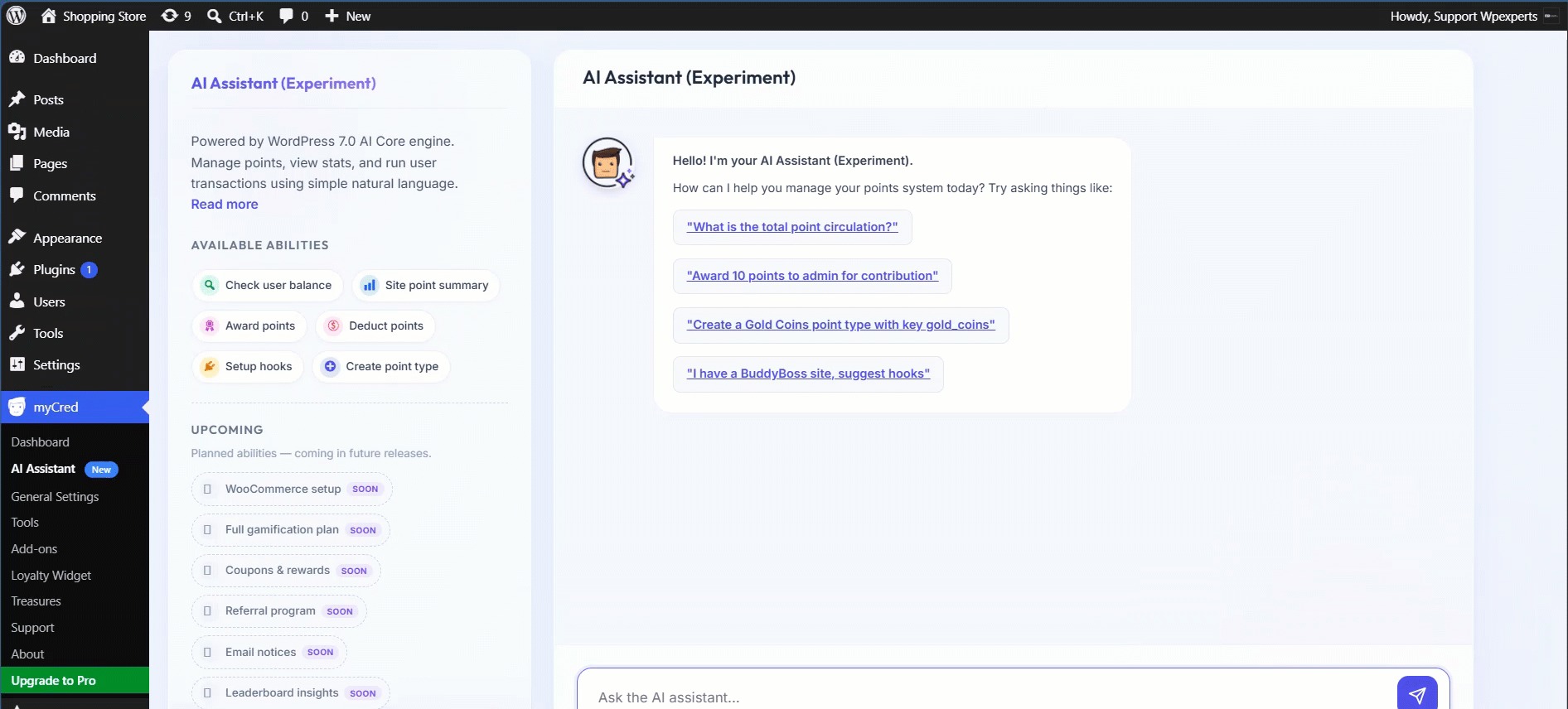
myCred 4.0 introduces the AI Assistant, a conversational way to manage your loyalty program without clicking through menus.
What it does:
- Understands plain-English prompts and carries out the requested action inside your myCred setup
- Comes with Suggested Prompts to help you get started
- Built on the WordPress AI ecosystem: WP AI Client, Connectors API, and Abilities API
- Works with the AI provider you already use: Anthropic, Google, or OpenAI
How to set it up:
- Install the myCred Addons plugin (required, the AI Assistant ships as part of it)
- Activate the AI Assistant addon
- Connect your preferred AI provider under Admin Dashboard > Settings > Connectors
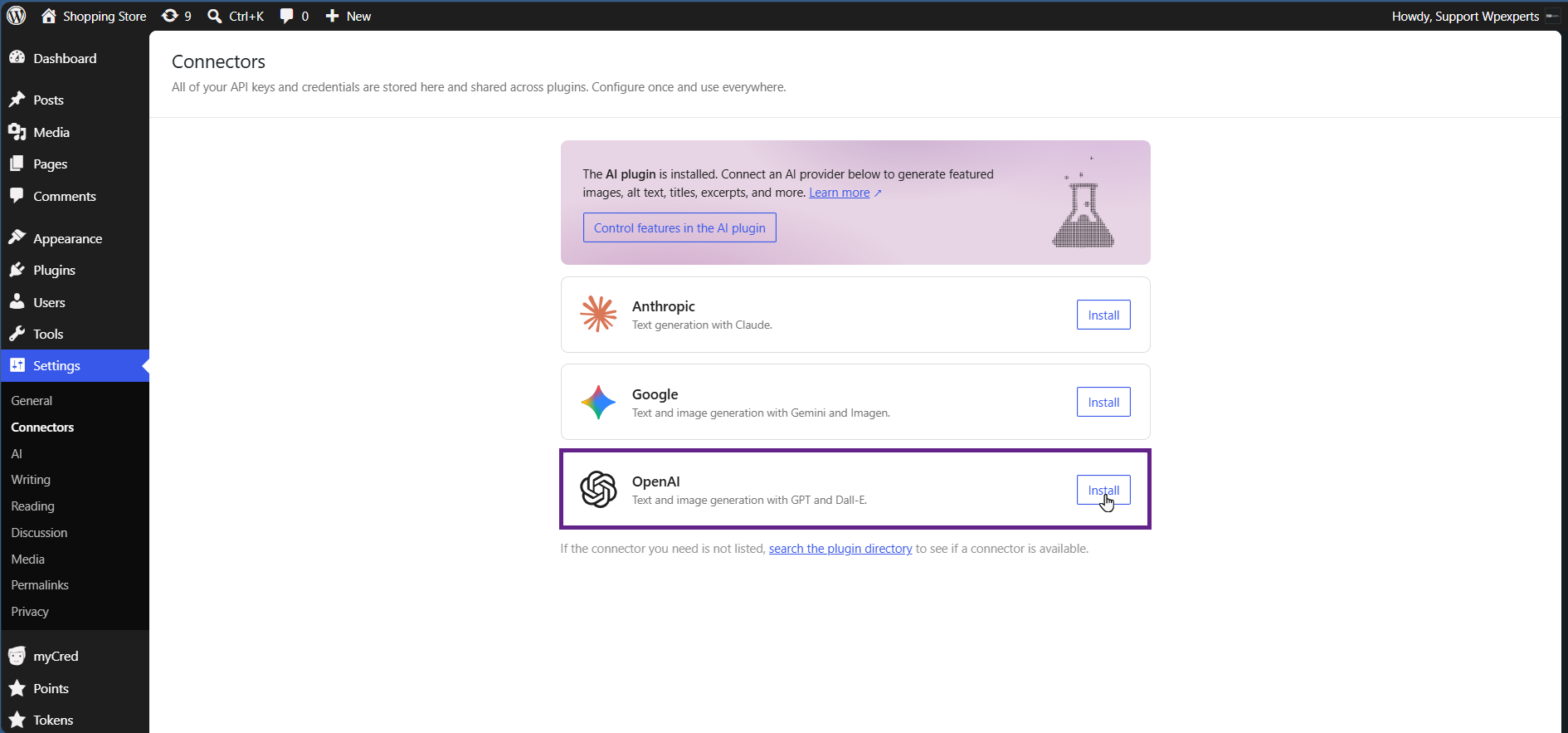
- Go to myCred > AI Assistant, enter a prompt, and let it run
It’s labeled Beta for this release, so test it on staging first.
How to Get myCred 4.0 Beta
Downloads:
- myCred 4.0 beta: https://downloads.wordpress.org/plugin/mycred.4.0.0-beta.1.zip
- myCred Addons beta (required for the AI Assistant): https://downloads.wordpress.org/plugin/mycred-toolkit.1.4.7-beta.1.zip
Run this on a staging or development site. It’s a beta.
What Stays The Same
myCred 4.0 beta doesn’t change how the plugin works:
Requirements are unchanged
WordPress 4.0+, PHP 7.0+, MySQL 5.0+.
Points still tie to WordPress users
If your users don’t log into WordPress, myCred still can’t assign them points; that hasn’t changed.
Multisite behavior is unchanged
Point type keys still append the Blog ID per site, and Central Logging still works the same way if you want shared balances across a network.
Hooks, ranks, badges, and point types work as before
The engine is the same. The interface on top of it is what has transformed.
If you know myCred today, you’ll know where everything is in 4.0; it’s just organized into cards instead of a settings table.
Final Word
myCred 4.0 is released as a beta version because we want it stress-tested before it’s final.
If something breaks or the AI Assistant gets a prompt wrong, tell us. If a workflow feels better than before, tell us that too.
[Report feedback or open a support ticket →]
Every bug report and every “this should work differently” shapes what ships in the final 4.0 release.