


A customer texts asking for an opening. You check the calendar, reply with three slots, wait, then book it in by hand. Two people show up for the same 2 pm slot because someone double-booked. A no-show costs the hour and a follow-up call to reschedule. WordPress appointment booking plugins remove that manual step.
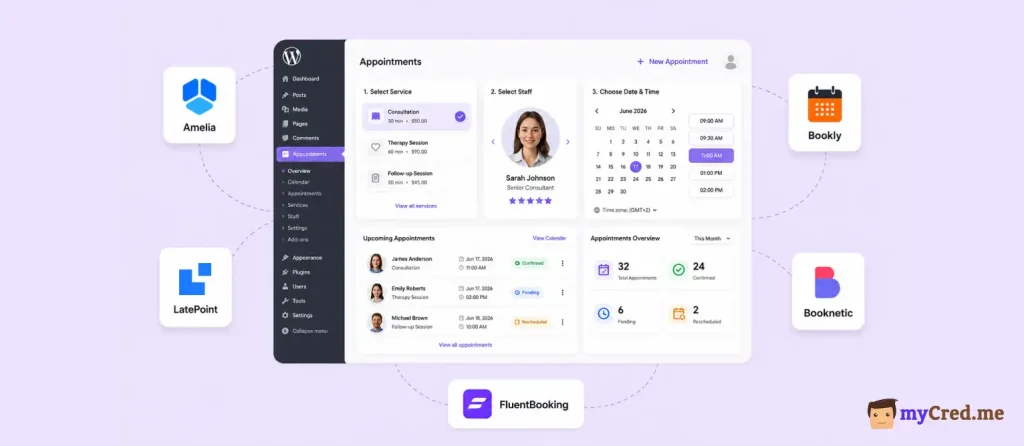
Customers pick a slot themselves, get an automatic reminder, and no-shows drop because booking takes fewer clicks.
This list covers 7 WordPress booking plugins, ranked on price, feature depth, and public reviews: Booknetic, LatePoint, Amelia, BookingPress, Bookly Pro, FluentBooking, and Simply Schedule Appointments.
Quick Comparison Table of Best WordPress Appointment Booking Plugin
| Rank | Plugin | Best for | Starting price | Free version | Rating |
|---|---|---|---|---|---|
| 1 | Booknetic | Full-featured booking with automation and a mobile app | $45/yr | No (demo only) | 4.91/5, CodeCanyon |
| 2 | LatePoint | One all-inclusive paid plan, no addon shopping | $99/yr | Yes (limited) | 4.9/5, WordPress.org |
| 3 | Amelia | Businesses that also run events or classes | $49/yr | Yes (Lite) | 4.6/5, WordPress.org |
| 4 | BookingPress | Widest native payment gateway list | $99/yr | Yes (Lite) | 4.6/5, WordPress.org |
| 5 | Bookly Pro | Largest review base, real free tier | $49/yr | Yes | 4.54/5, CodeCanyon |
| 6 | FluentBooking | Calendly-style scheduling inside WordPress | $79/yr | Yes | 4.7/5, WordPress.org |
| 7 | Simply Schedule Appointments | Accessibility and fastest setup | $129/yr | Yes (Basic) | Near-perfect, WordPress.org |
How This List of Best WordPress Appointment Booking Plugins Was Built
This list is myCred’s desk research:
- live pricing pages,
- official feature docs, and
- aggregate rating from WordPress.org.
Ranking criteria were:
- booking flow,
- feature depth,
- pricing, and
- public reputation.
Prices and ratings shift often in this category, so check each vendor’s current page if you buy after reading this piece.
Top 7 WordPress Appointment Booking Plugins Reviewed
Here are the top 7 appointment booking WordPress plugins for your business needs:
1. Booknetic: Best for Full-Featured WordPress Booking With myCred Rewards
- Website: booknetic.com
- Paid plans from: $45/year
- Customers: 20,000+
- Rating: 4.91/5 (471 reviews, CodeCanyon)
Booknetic is a WordPress appointment booking plugin built for service businesses that need staff scheduling, multi-location support, and a modern admin without a monthly SaaS fee. It’s been on the market 7+ years and runs on an annual or lifetime license instead of a subscription.
The core booking plugin handles services, staff, locations, and the customer-facing booking widget. Deeper functionality, payments, calendar sync, SMS, ships through the Boostore addon marketplace.
Key features:
- Workflow automation builder: triggers for created, rescheduled, and cancelled bookings fire email, SMS, WhatsApp, webhook, and Mailchimp actions
- Boostore addon marketplace with 50+ addons for payments, calendar sync, SMS, gift cards, and staff commissions
- Up to 10 native payment gateways on Elite, including Stripe, PayPal, Square, Mollie, and Razorpay, plus a WooCommerce route
- 2-way Google Calendar and Outlook sync with automatic busy-slot blocking (Standard and above)
- Native iOS and Android app for staff, 1 seat on Standard, 5 seats on Elite
- Multi-location and multi-staff booking built into the core plugin at every tier
Booknetic Pricing:
| Plan | Annual (domains) | Key features |
|---|---|---|
| Basic | $45/year (1 domain) | Core booking engine, on-site payments, 6-month support |
| Standard | $99/year (1 domain + staging) | 3 payment gateways (Stripe, PayPal, WooCommerce), 1 mobile app seat, essential addons |
| Premium | $149/year (5 domains + staging) | Advanced addons, 3 mobile app seats, taxes, invoices, coupons |
| Elite | $299/year (unlimited domains) | All 50+ addons, 10 payment gateways, 5 mobile app seats, gift cards, native loyalty points, priority support |
Lifetime licenses run $99 to $699 across the same 4 tiers, with 1 year of support included. All plans carry a 14-day money-back guarantee.
Pros:
- Free myCred hook covers the full booking-to-points loop with no paid addon required
- Workflow automation builder handles email, SMS, WhatsApp, and webhook triggers without code
- Native mobile app for staff, starting at Standard
- 20,000+ paying customers and 7+ years of active development
- 14-day money-back guarantee on every plan
Cons:
- Revenue tools (taxes, invoices, coupons) are gated to Premium and Elite
- Native loyalty points, gift cards, and staff commissions require Elite specifically
- Not distributed as a full free plugin on WordPress.org, the free version is a limited standalone download from booknetic.com
Best for: Service businesses that want a full-featured, self-hosted booking system with automation and a mobile app, especially ones already running myCred for loyalty and want the booking side to feed points automatically without paying for a separate loyalty module.
2. LatePoint: best for one all-inclusive paid plan
LatePoint’s paid tier unlocks every feature at once, so there’s no separate addon math once you’re past Starter. That’s the tradeoff worth knowing: fewer purchase decisions, but everything gated behind the free tier.
Specs: $99/yr Starter (1 site), $249 lifetime
Free version: Yes, limited
Standout feature:
Live-preview booking form customizer
- All-inclusive licensing: every capability unlocks at Starter, no per-addon purchases
- Live-preview Booking Form Settings customizer with drag-to-reorder steps
- OTP verification for first-time customers on the final booking step
Limitation: the free tier restricts to Stripe only, no 2-way Google Calendar sync, and no native mobile app at any tier.
3. Amelia: best for businesses that also run events
Amelia earns its spot when appointments aren’t the whole business. A built-in Events module with QR-coded e-tickets means a studio running both 1-on-1 sessions and group classes doesn’t need a second plugin.
Specs: $49/yr Starter with free Lite version on WordPress.org
Standout feature:
Events module with QR-coded e-tickets
- Built-in Events module handles ticketed classes and workshops alongside appointments
- KPI dashboard shows appointment totals, occupancy rate, and revenue on the first screen
- 4.6/5 from 773 reviews on WordPress.org, the largest review pool in this category
Limitation: 2-way Google Calendar sync and several payment gateways, including PayPal and Stripe, require the Pro tier or above.
4. BookingPress: best for the widest payment gateway list
BookingPress bundles more native payment gateways into its entry paid tier than anything else in this comparison, which matters most for businesses serving customers across several regions or currencies.
Specs: $99/yr Standard, $199 lifetime & free Lite version
Standout feature: 20+ native payment gateways on Standard
- 20+ native gateways on Standard, including Stripe, Square, Braintree, Klarna, and Authorize.Net
- Add-to-calendar shortcuts (Google, Yahoo, Outlook, iCal) shown on the confirmation page itself
- 45+ addons bundled into Standard, 60+ on Professional and Enterprise
Limitation: not distributed on WordPress.org since early 2025, so installs and updates run through the vendor’s own site.
5. Bookly Pro: best for the largest review base and a real free tier
Bookly has been around long enough to build the deepest review history in this category, and the free base plugin is a genuine working product, not a stripped demo.
Specs: $49/yr Pro (1 site), $129 lifetime with free version yes, 1 staff / 5 services
Standout feature: 1,173+ CodeCanyon reviews
- Free base plugin covers 1 staff member and up to 5 services with no time limit
- Email Notifications editor covers every booking event, split by recipient, with full HTML support
- 4.54/5 from roughly 1,173 CodeCanyon reviews, the strongest review volume tested
Limitation: almost every commercially useful feature, Stripe, 2-way calendar sync, recurring appointments, is a separate paid addon on top of Pro.
6. FluentBooking: best for Calendly-style scheduling inside WordPress
FluentBooking fits coaches and consultants who want the Calendly booking experience without sending customer data to a third-party SaaS tool.
Specs: $79/yr Solo (1 site), $249 lifetime with free version on WordPress.org
Standout feature: all-inclusive Pro license, 1 price unlocks everything
- Native integration with FluentCRM, Fluent Forms, and FluentSMTP for teams already on that stack
- Google Calendar, Outlook, Apple, Nextcloud, and Zoom OAuth included at every paid tier
- Twilio SMS and WhatsApp notifications included, not a separate addon
Limitation: native payments limited to Stripe, PayPal, and WooCommerce, with no booking packages or customer portal.
7. Simply Schedule Appointments: best for accessibility and fast setup
SSA is the fastest plugin in this list to get from install to a live booking widget. And it’s the only one built around accessibility as a core feature, not an afterthought.
Specs: $129/yr Plus (1 site) with free Basic version
Standout feature: live WCAG contrast-ratio checker in the style editor
- Setup Wizard gets a working booking widget live in under 5 minutes
- Live WCAG contrast checker warns when an accent color fails readability, before publish
- Near-perfect rating on WordPress.org with very little negative review noise
Limitation: single-site licensing on every paid tier, no lifetime option, and team scheduling is gated to the $399/yr Business tier.
Which WordPress Appointment Booking Plugin Fits Your Business
- Want the deepest feature set and a mobile app for staff? → Booknetic
- Want every feature in 1 paid plan with no addon math? → LatePoint
- Run events or classes alongside appointments? → Amelia
- Need the widest native payment gateway list? → BookingPress
- Want the largest review base and a real free tier? → Bookly Pro
- Want Calendly-style scheduling without leaving WordPress? → FluentBooking
- Running 1 site and accessibility matters? → Simply Schedule Appointments
Ending Note
Match the plugin to whichever line in the framework above describes your actual constraint, not the longest feature list. If you’re already running myCred for loyalty or rewards, points on repeat bookings is a natural pairing worth setting up alongside whichever plugin you pick.