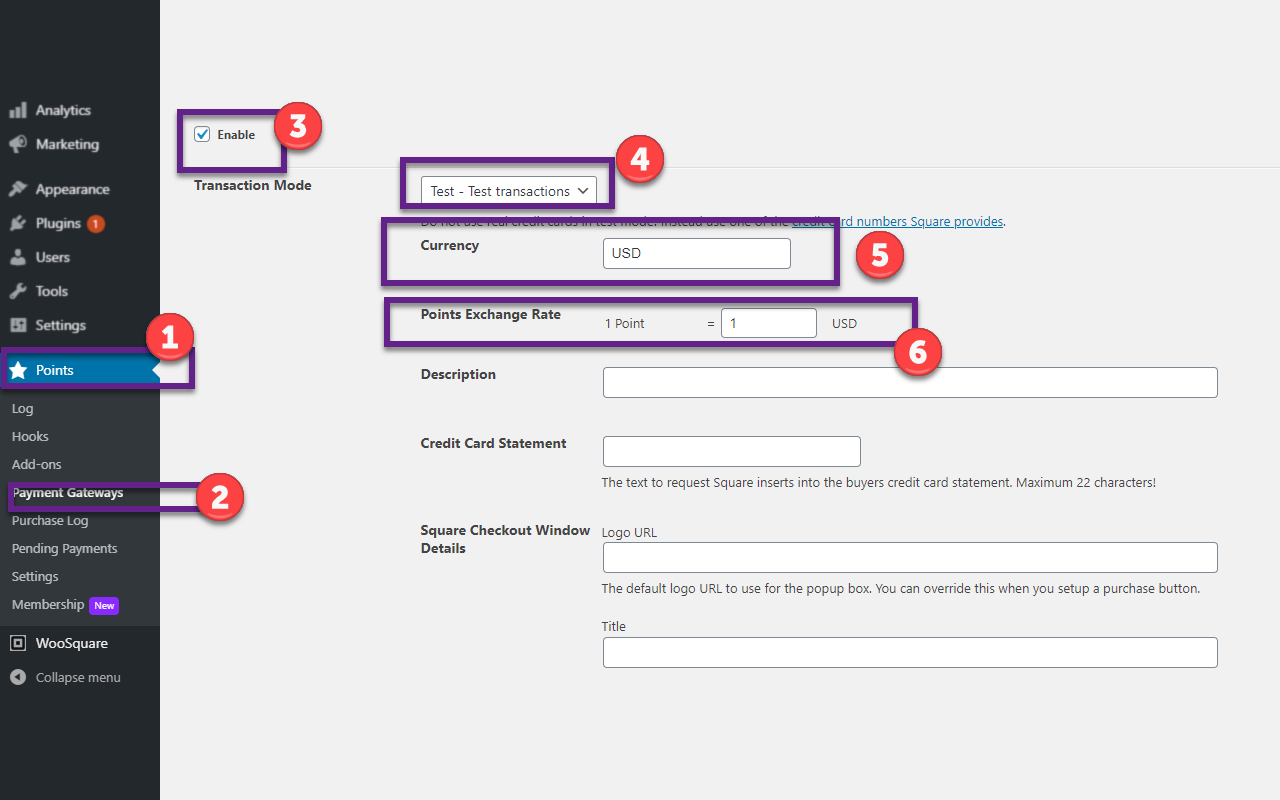
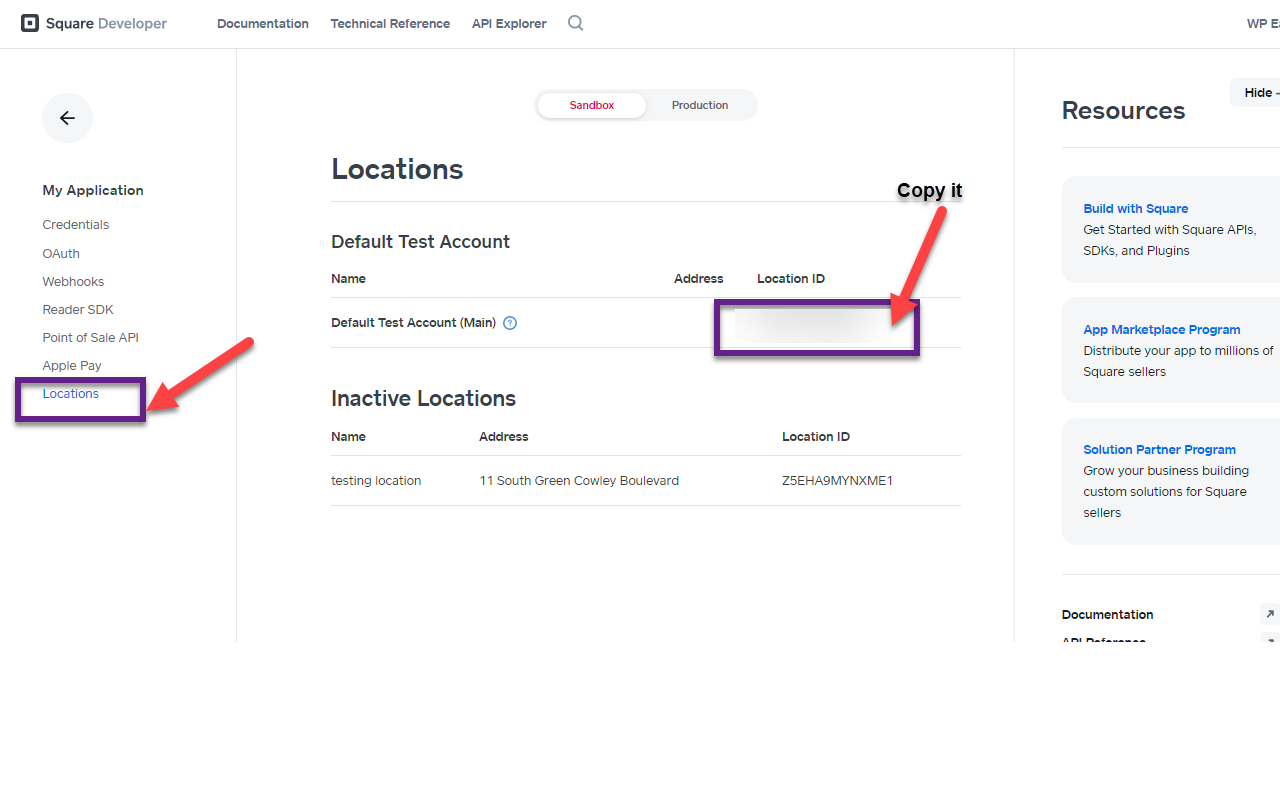
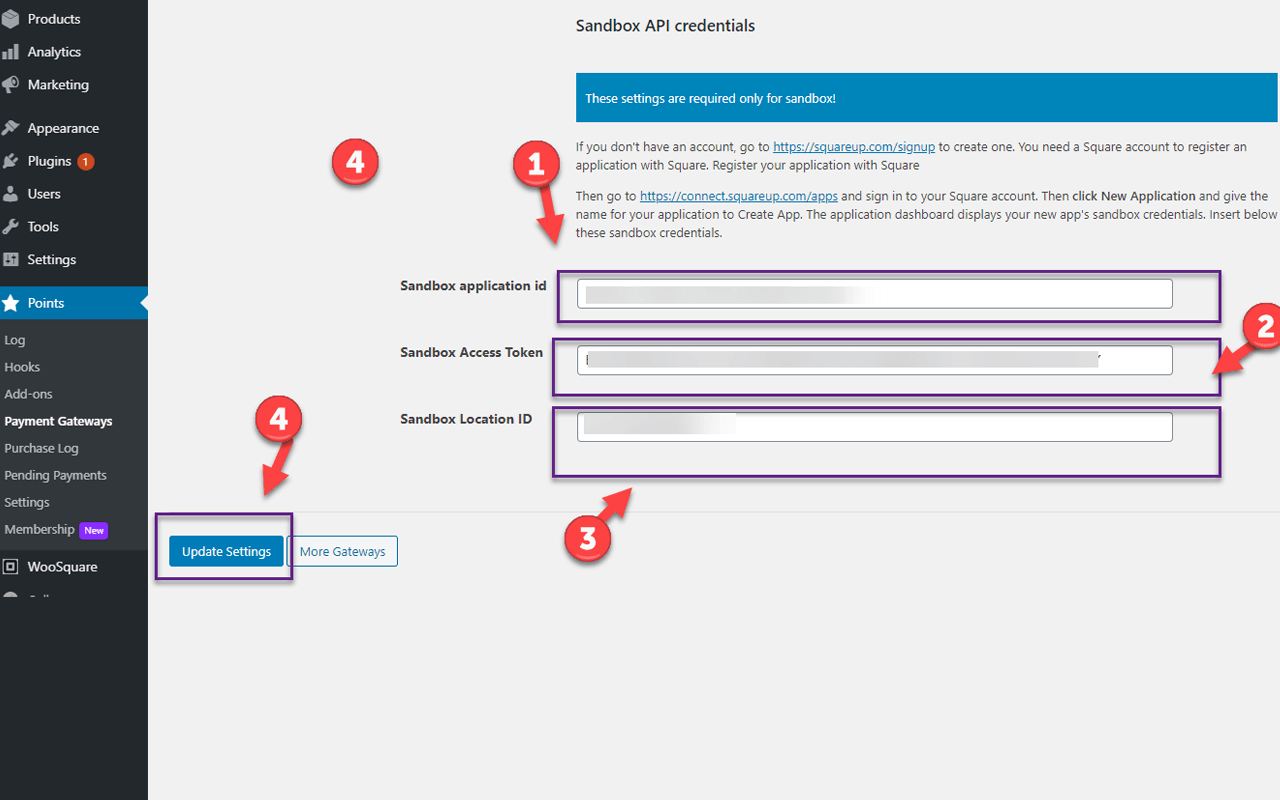
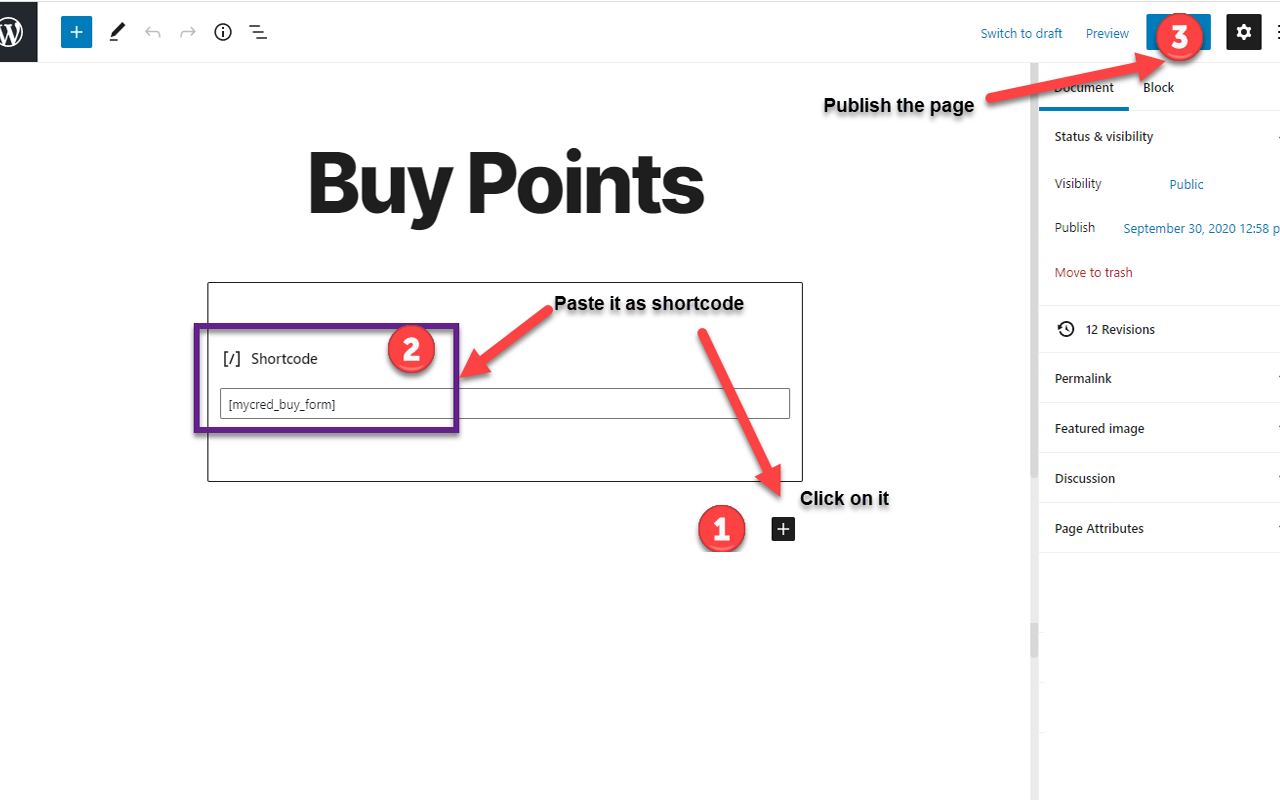
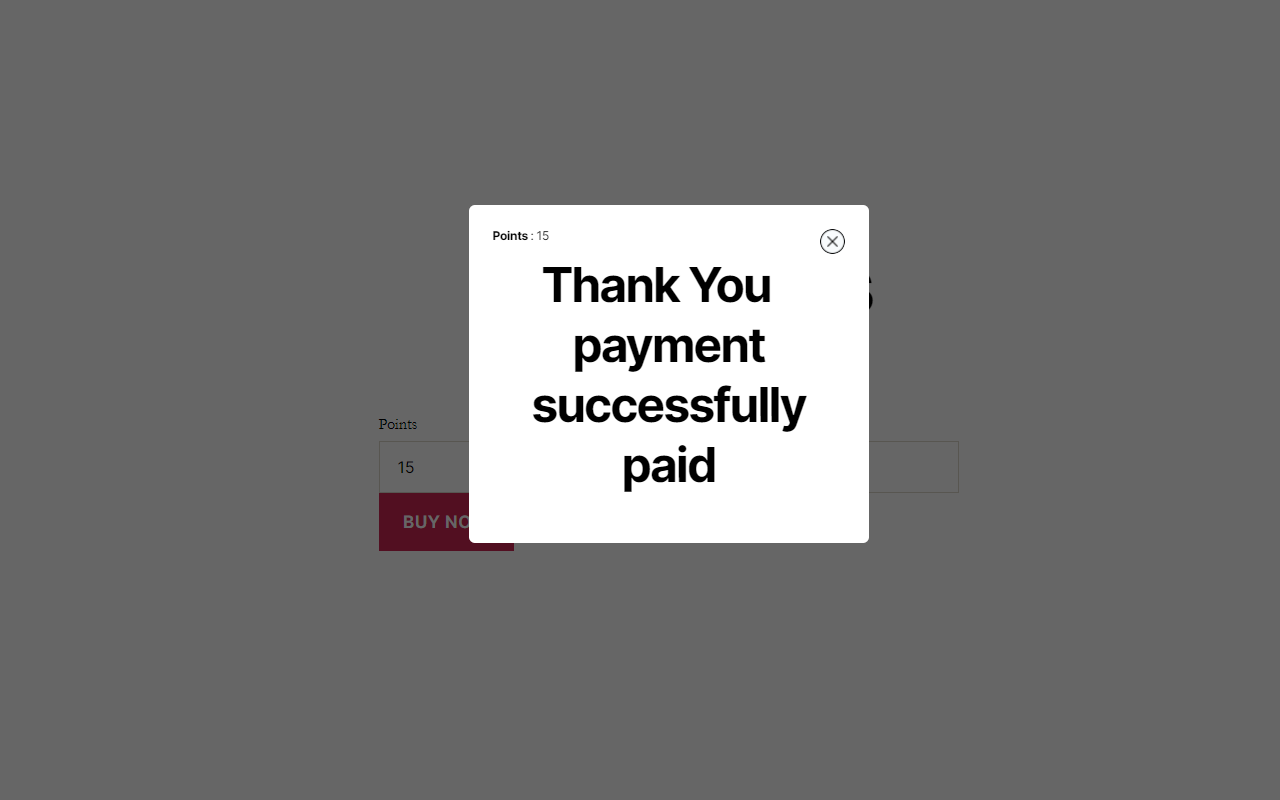
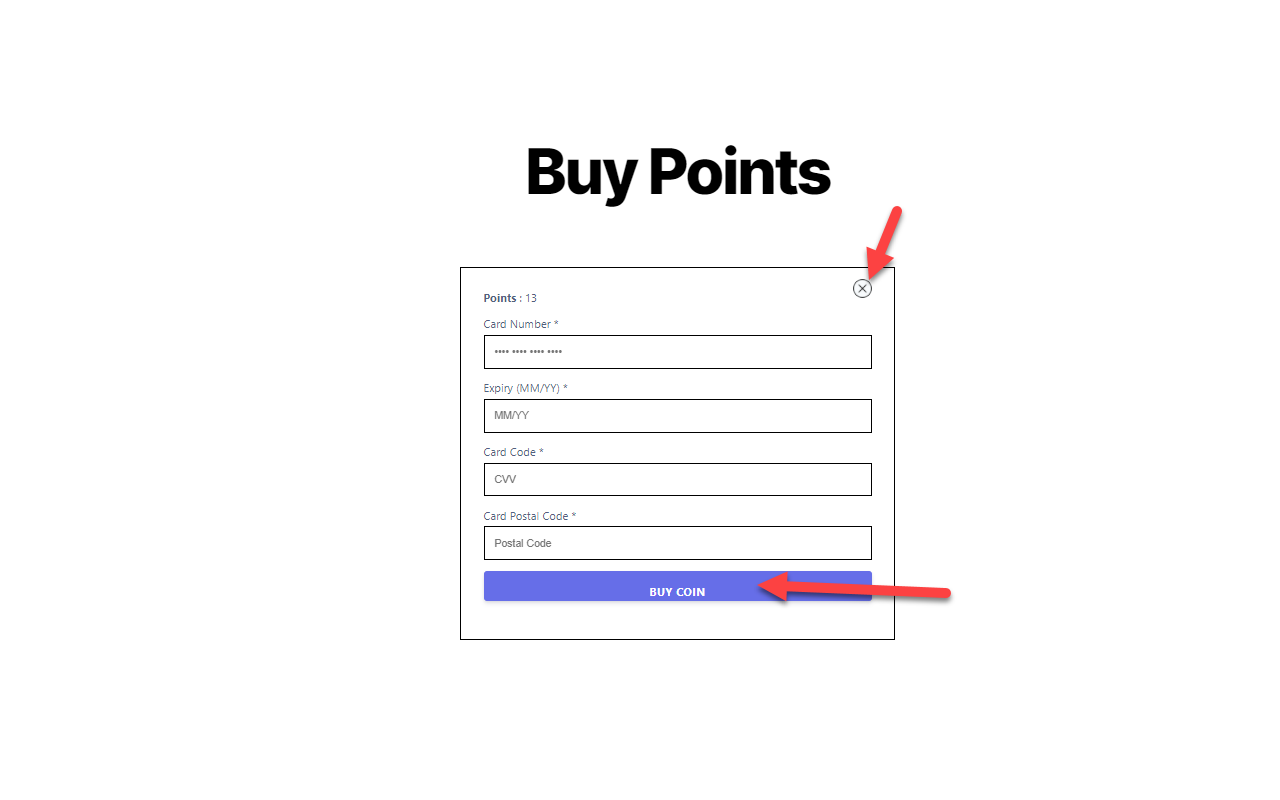
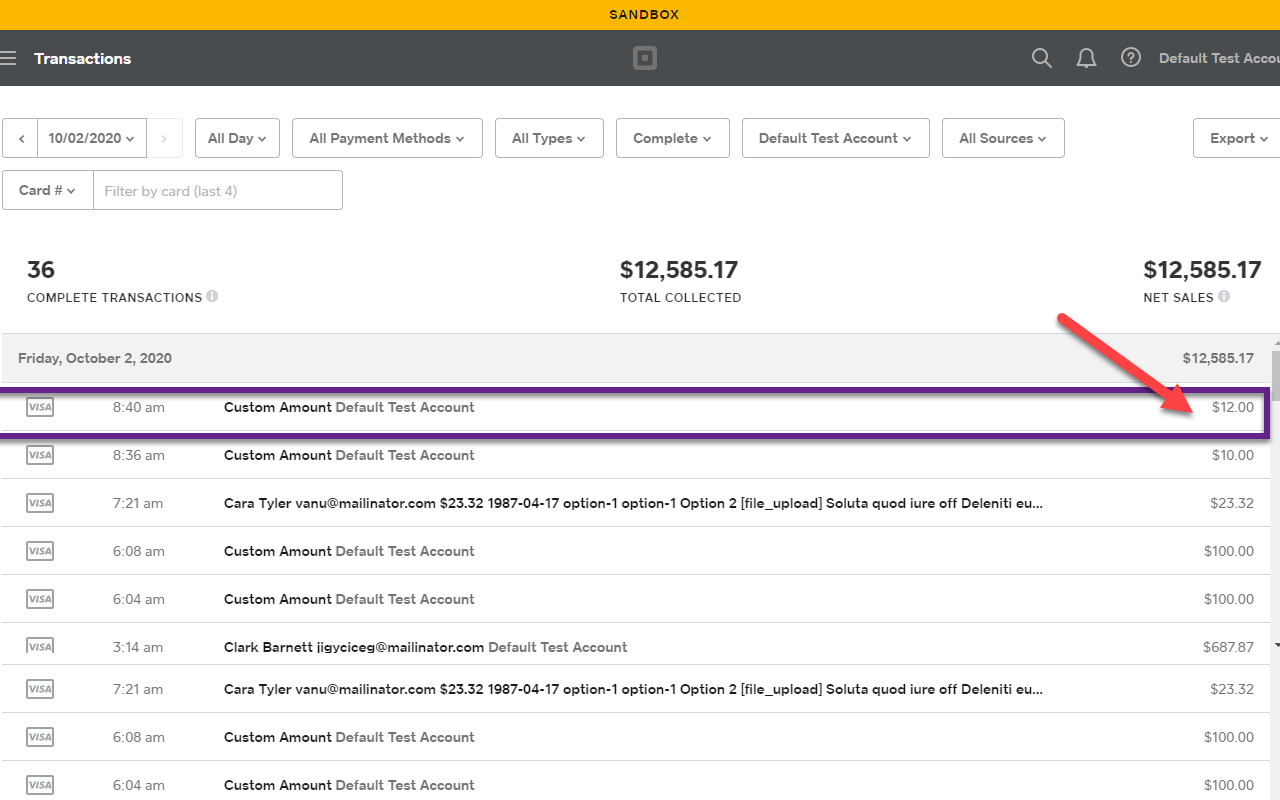
myCred-Square is a myCred integrated add-on that enables its users to purchase myCred points simply by configuring the payment module that connects with the Square payment gateway.

Features
Allows you to install and use this plugin on a single website or multisite installation.

Fixed Quantity
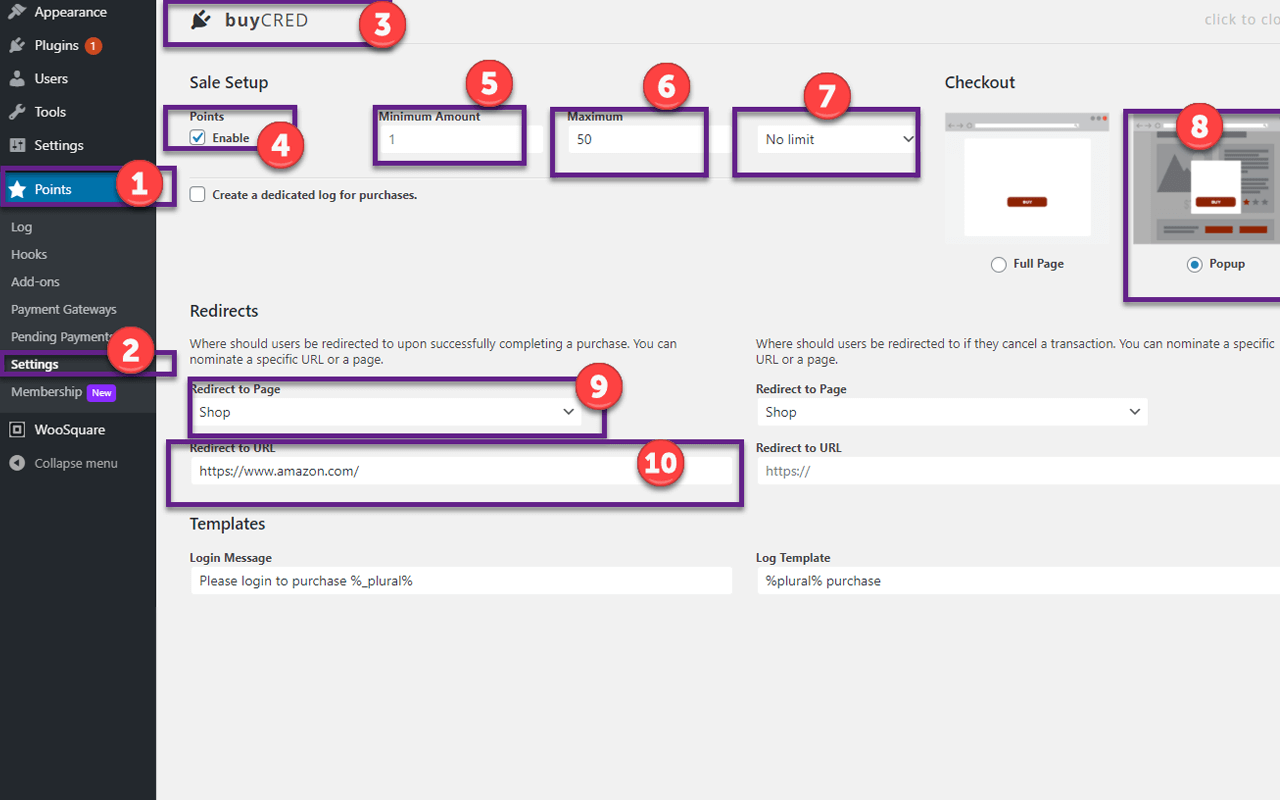
myCred Square Addon allows Users to purchase a fixed amount of points via Square.

Custom Quantity
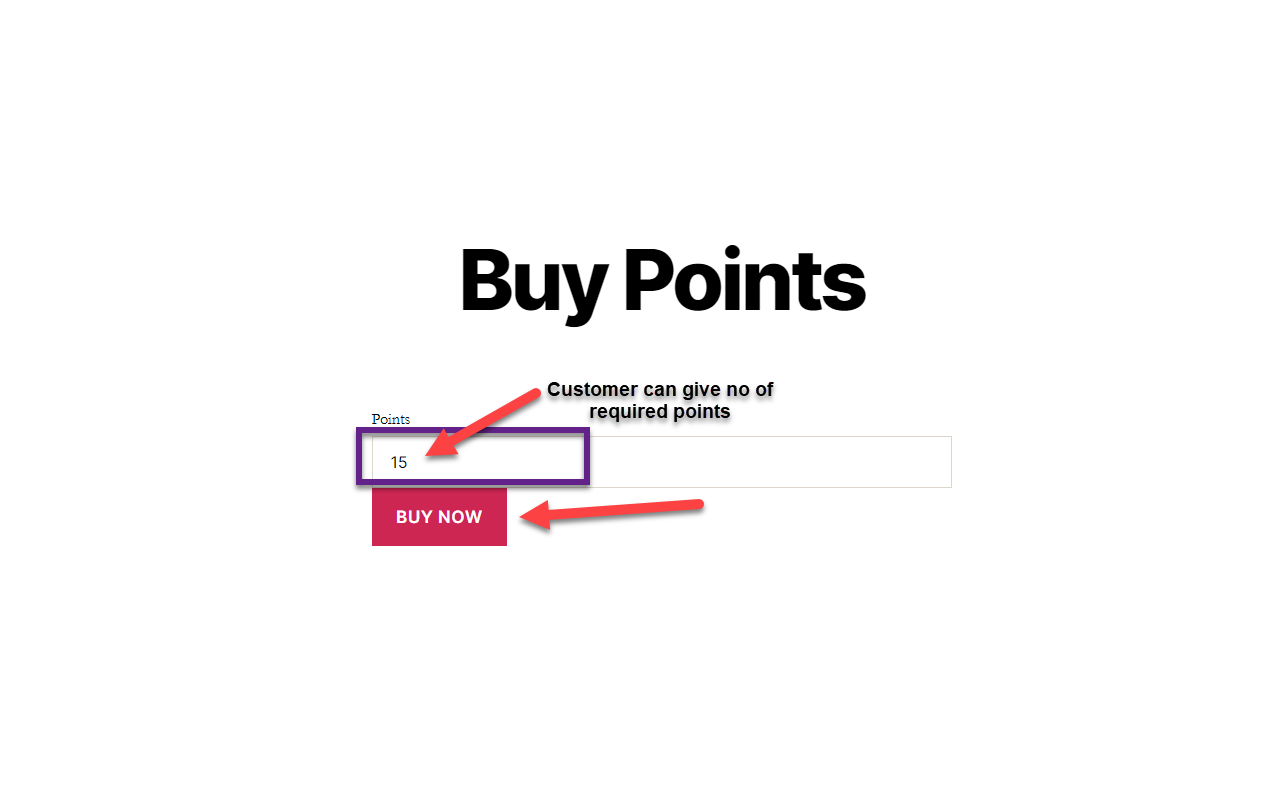
myCred Square Addon allows users to input the number of points they want to purchase via Square.

Min/Max Quantity
Admin can set a minimum and maximum requirement as to how many points one can purchase.

Purchasing Frequency
Admin can set ‘frequency of purchasing’ by per day/week/month

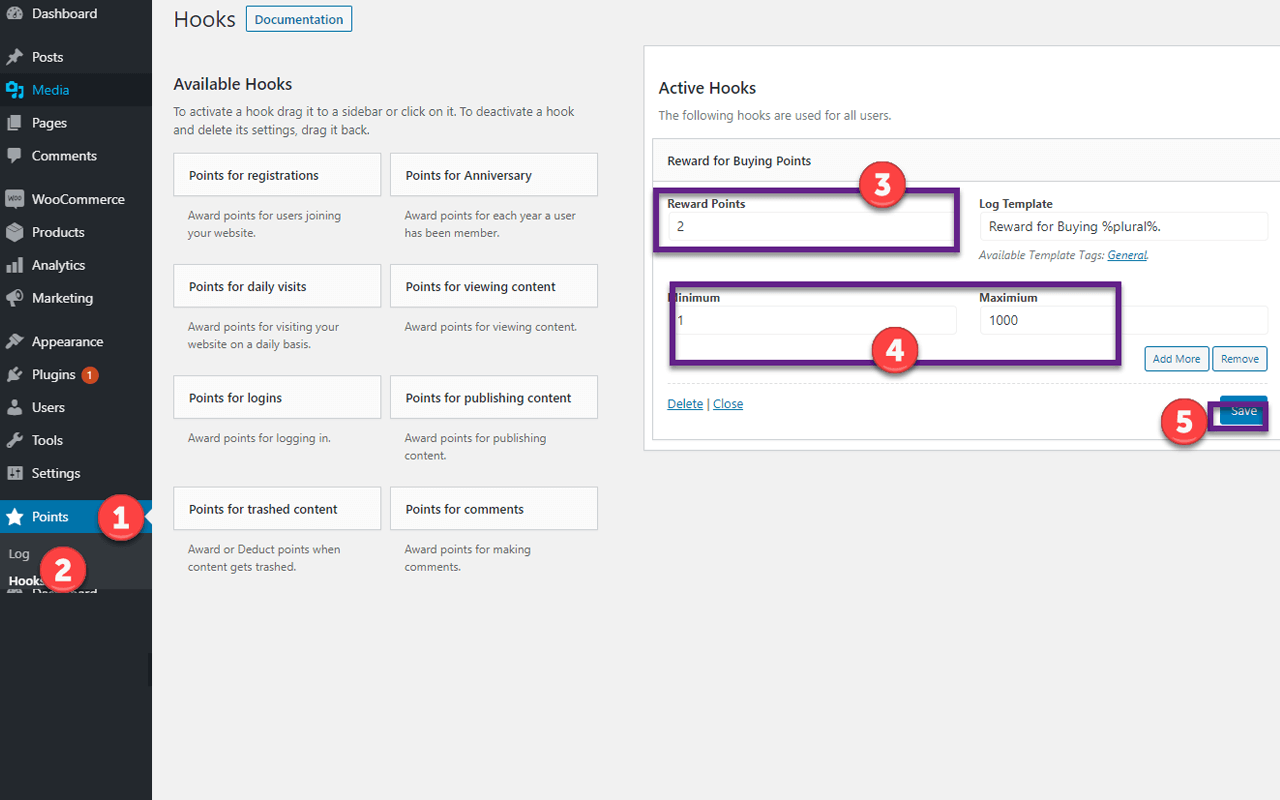
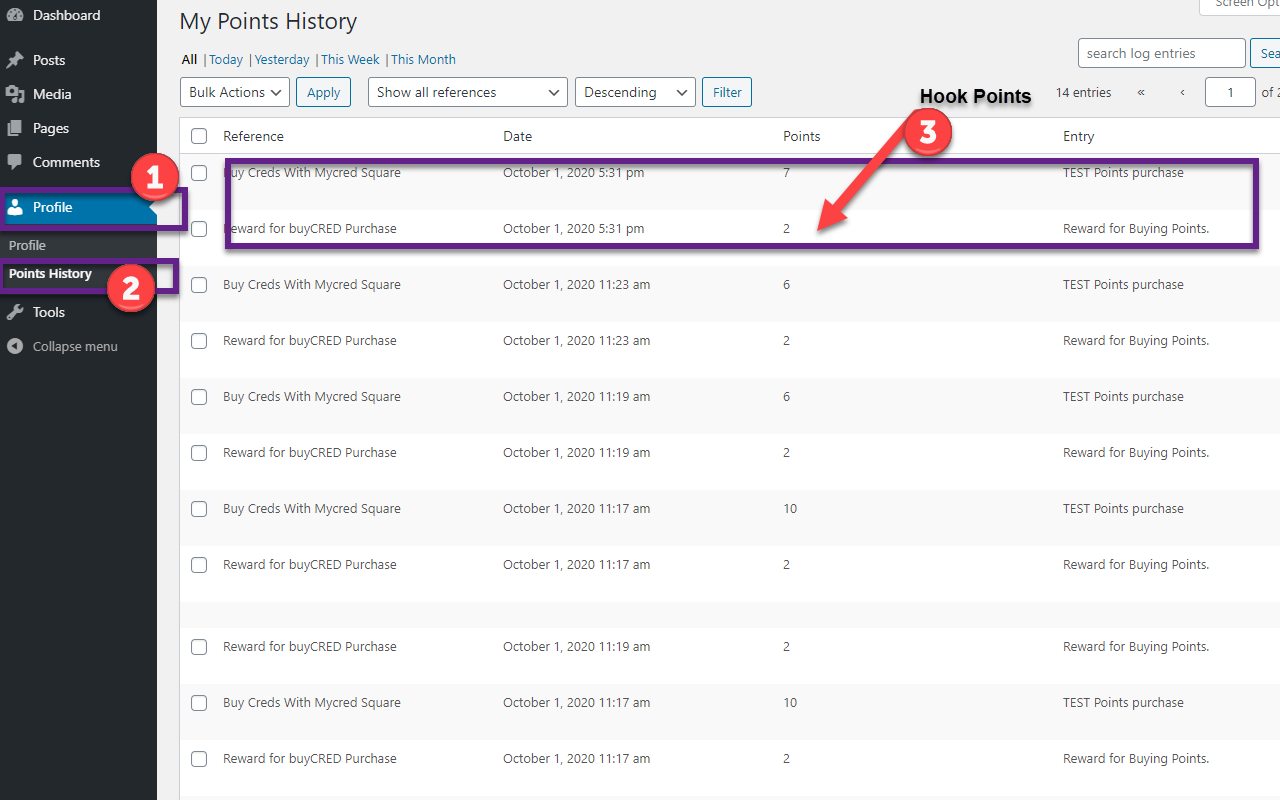
Hook Points
Admin can set ‘Hooks Points’ for customers upon purchasing ‘points’
myCred-Square is a myCred integrated add-on that enables its users to purchase myCred points simply by configuring the payment module that connects with the Square payment gateway.
Installation Guide
Please follow the below instructions step by step.
- Download the zip file from your mycred.me account > My Downloads
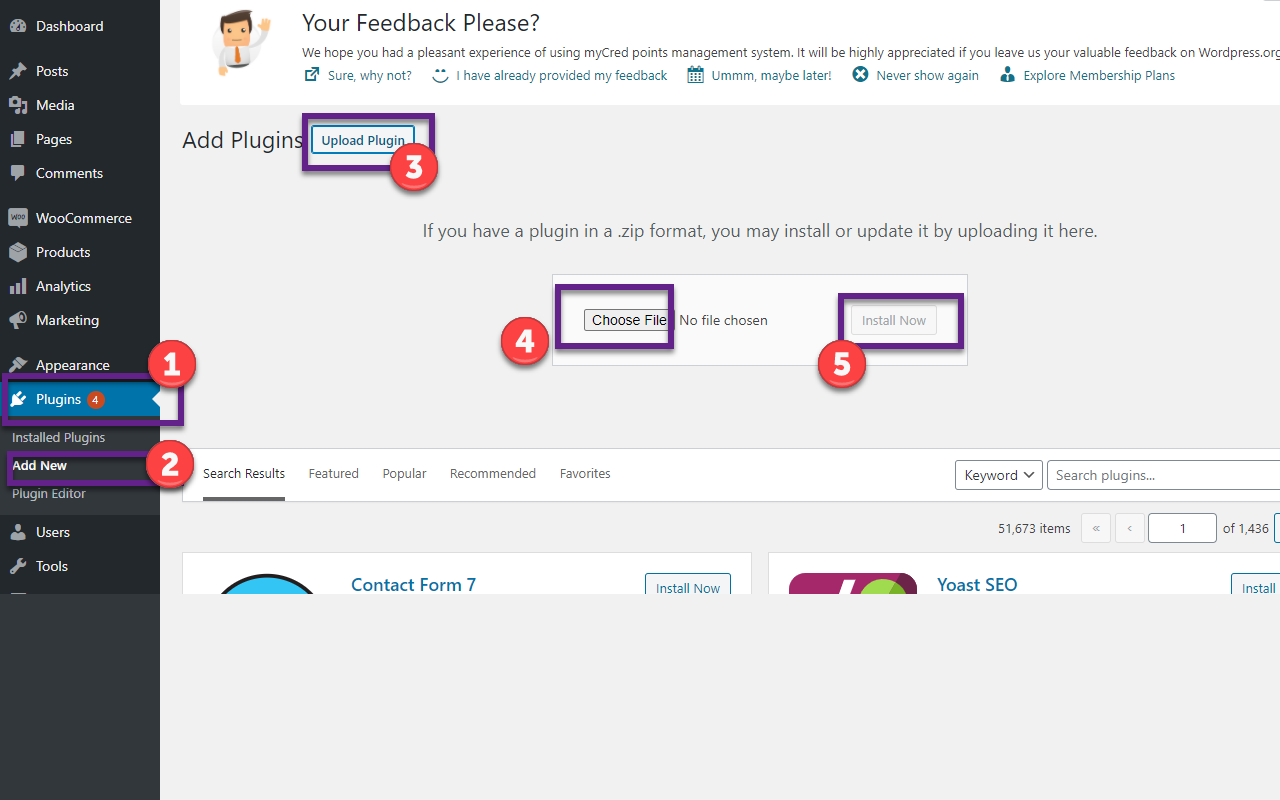
- Go to the WordPress Admin Dashboard > Plugins
- Once you are in the plugins page you can see the “Add New” button in the top left corner.
- Click “Add New” button and upload the zip file of a plugin which you’ve downloaded from mycred.me account.
Once plugin installed, click the “Activate” button.
To view the documentation
click here
Please follow the below instructions step by step.
- Download the zip file from your mycred.me account > My Downloads
- Go to the WordPress Admin Dashboard > Plugins
- Once you are in the plugins page you can see the “Add New” button in the top left corner.
- Click “Add New” button and upload the zip file of a plugin which you’ve downloaded from mycred.me account.