myCred Github is a myCred integrated add-on that enables the admin to award points based on the approval of their user’s pull request respective to the master branch of the project.

Features
Allows you to install and use this plugin on a single website or multisite installation.

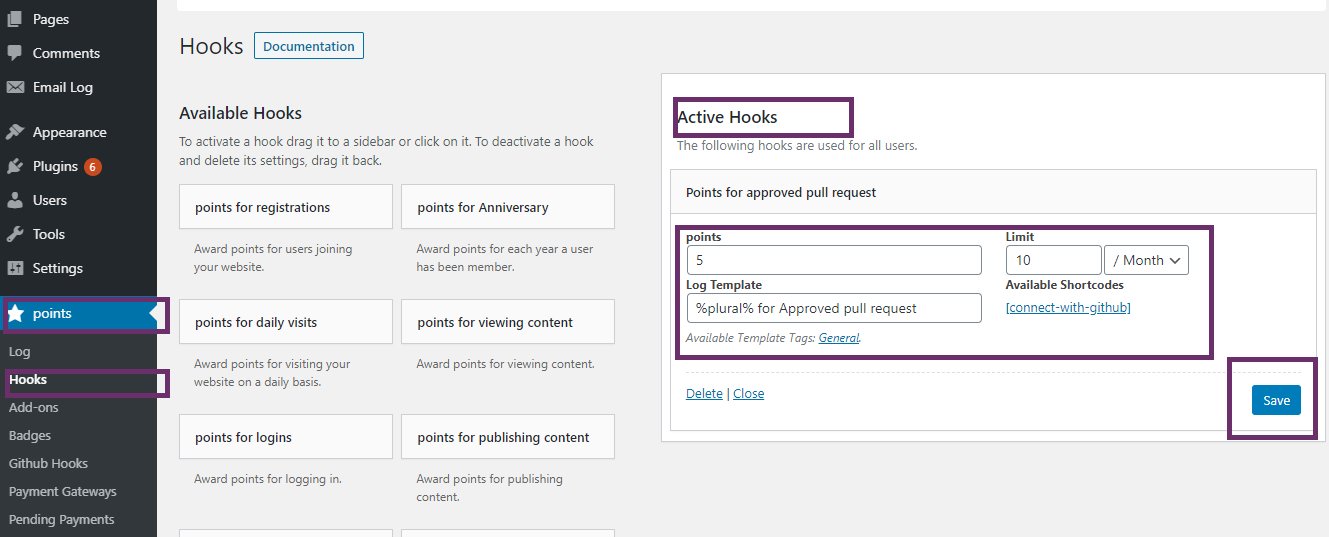
Award points on successful pull request
You can set an amount of points that will be rewarded to the user upon successful pull request of new changes in any project at GitHub.

Limit pull requests
Admin can set limit of ‘pull transaction’ as specific numbers per day/week/month/in total.

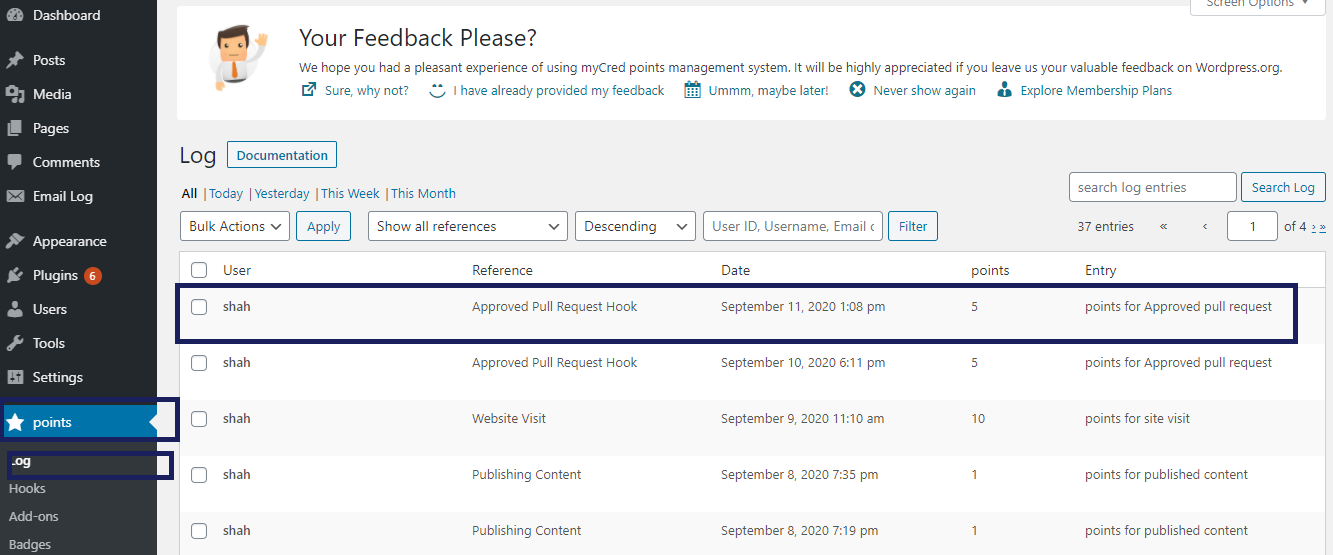
Pull Request Logs
Logs will be generated against every transaction so the user can see that how many points are in his/her bucket.

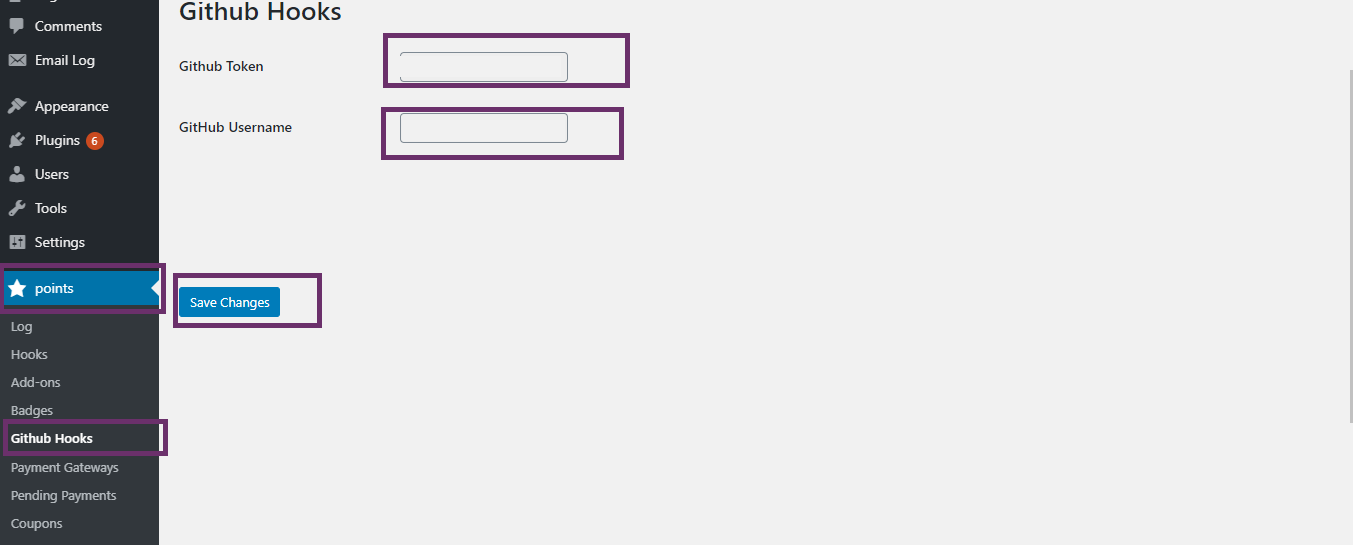
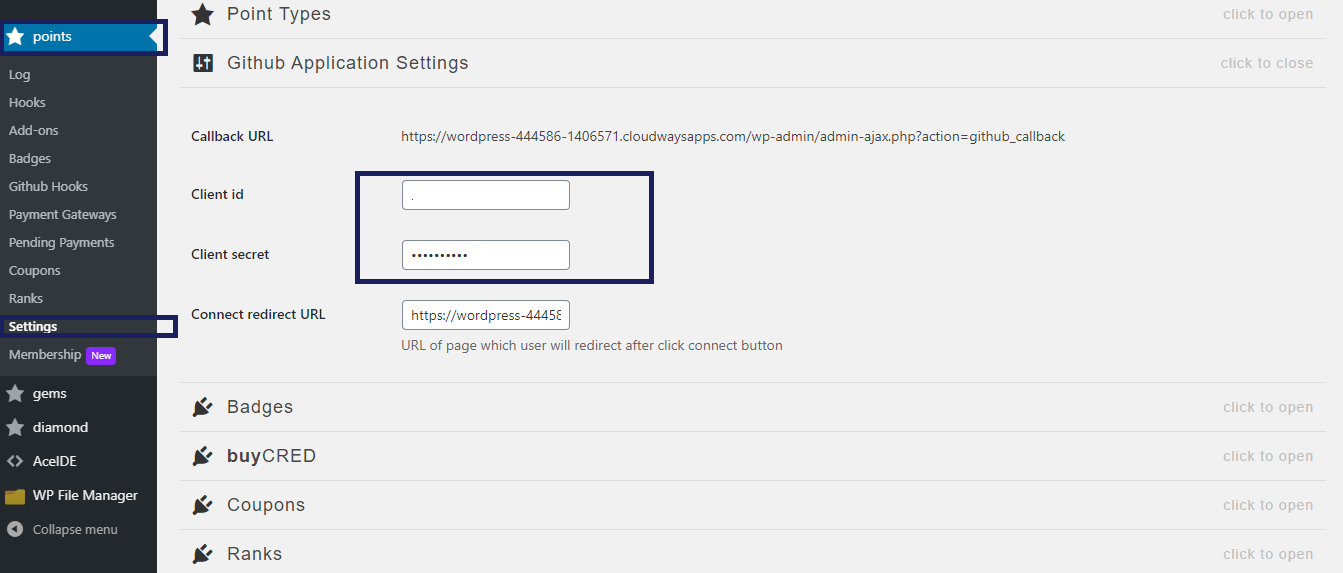
Connect to GitHub Repositories
Ease of utilizing any repository of your GitHub account.

Repository Selection
Connect all or a specific repository from your GitHub account.
myCred Github is a myCred integrated add-on that enables the admin to award points based on the approval of their user’s pull request respective to the master branch of the project.
Installation Guide
Please follow the below instructions step by step.
- Download the zip file from your mycred.me account > My Downloads
- Go to the WordPress Admin Dashboard > Plugins
- Once you are on the plugins page you can see the “Add New” button in the top left corner.
- Click the “Add New” button and upload the zip file of a plugin that you’ve downloaded from mycred.me account.
Once the plugin installed, click the “Activate” button.
To view the documentation
click here
Please follow the below instructions step by step.
- Download the zip file from your mycred.me account > My Downloads
- Go to the WordPress Admin Dashboard > Plugins
- Once you are on the plugins page you can see the “Add New” button in the top left corner.
- Click the “Add New” button and upload the zip file of a plugin that you’ve downloaded from mycred.me account.