



Social media plugins are no longer optional for a serious WordPress site in 2026. If your content is not distributed, shared, or surfaced through social platforms, it is invisible to most users. Google knows this. AI systems know this. That is why choosing the right WordPress social media plugin now affects reach, engagement, and indirect SEO performance.
The problem is not a lack of options. There are too many overlapping tools doing similar things. Some focus on social sharing buttons. Others specialize in social media feeds. A few handle automation, rewards, or scheduling. Many slow sites down or add unnecessary scripts.
Picking the wrong WordPress social share plugin can hurt performance, create tracking issues, or add zero real value.
This guide breaks down the top 15 WordPress social media plugins for 2026 based on real use cases. Sharing content.
Each plugin is reviewed through an SEO and performance lens, not marketing claims.
How These WordPress Social Media Plugins Were Evaluated
Most “best plugin” lists fail because they judge features in isolation. That does not work anymore. In 2026, a WordPress social media plugin must justify its existence technically, not just functionally.
Each plugin in this list was evaluated using the same criteria.
1. Performance and Speed Impact
Social features are notorious for slowing sites down. We checked:
- Script weight and loading behavior
- Async vs blocking requests
- Impact on Core Web Vitals
Any plugin that bloats pages or injects unnecessary assets is a liability, even if the social sharing buttons look good.
2. SEO and Crawl Safety
A WordPress social share plugin should never interfere with crawling or indexing. We assessed:
- DOM cleanliness
- JavaScript rendering risks
- Share count recovery methods
- Compatibility with caching and CDN setups
If a plugin risks crawl delays or rendering issues, it was downgraded.
3. Primary Use Case Clarity
Plugins were categorized by what they do best:
- Social media feeds
- Social share buttons
- Automation and scheduling
- Engagement or reward systems
All-in-one tools were penalized if they tried to do everything poorly.
4. Automation and Platform Dependency
Many plugins rely on third-party social media services and APIs. We evaluated:
- External account requirements
- API rate limit risks
- Failure behavior when services disconnect
Reliable automation matters more than flashy dashboards.
5. Maintenance, Updates, and Longevity
A plugin that is not actively maintained is a future SEO problem. We reviewed:
- Update frequency
- Compatibility with recent WordPress releases
- Developer track record
Abandoned plugins do not belong on production sites.
6. Pricing Transparency and Value
Pricing was judged on clarity and long-term cost:
- Free vs paid feature split
- Forced upgrades
- Addon dependency
Cheap plugins that create technical debt cost more later.
This evaluation framework ensures every plugin listed supports real-world WordPress social feed plugin or social media buttons use cases without compromising performance or search visibility.
Quick Comparison Table on WordPress Social Media Plugins
This table exists for one reason, i.e., speed. It lets you shortlist the right social media plugins in under a minute
| Plugin | Primary Use | Speed Impact | Best For | Pricing |
|---|---|---|---|---|
| Smash Balloon | Social media feeds | Low | Branded feed embeds | Free, $49+/year |
| RafflePress | Viral sharing | Low | Giveaways and growth | Free, $39.50/year |
| Monarch | Social share buttons | Medium | Trigger-based sharing | $89/year |
| Revive Social | Automation | None front-end | Content recycling | Free, $99+/year |
| Novashare | Social sharing buttons | Very low | Performance-focused sites | $24.95/year |
| Social Warfare | Social share | Low | Share recovery and quotes | Free, $29+/year |
| AddToAny | Social media buttons | Low | Free multi-network sharing | Free |
| WP to Buffer | Scheduling | None front-end | Buffer users | Free, $39/year |
| Super Socializer | All-in-one | Medium | Free all-purpose use | Free |
| Better Click to Tweet | Social share | None front-end | Tweetable quotes | Free, $29.99/year |
| Jetpack | Social features suite | High if misused | Centralized tools | Free, $4.92/month |
| myCred Social Share | Engagement rewards | Low | Gamified sharing | Addon pricing |
| Sassy Social Share | Social media buttons | Low | Custom styling | Free |
| Easy Social Share Buttons | Advanced sharing | Medium | Integrations and AMP | Free, Pro |
| Blog2Social | Scheduling | None front-end | Manual control | Free, paid plans |
How to Read This Table
- If speed matters, focus on plugins with minimal front-end impareal-time social proofct.
- If automation matters, front-end weight is less relevant.
- If your goal is clean social share functionality, avoid bundled tools.
This comparison filters noise before diving into individual reviews. It separates WordPress social share plugins from WordPress social feed plugin tools and scheduling utilities.
Smash Balloon Review

Category: WordPress social feed plugin
Best for: Displaying branded social media feeds without hurting performance
Smash Balloon is one of the most established social media plugins in the WordPress ecosystem. Its core strength is pulling real social media feeds into your site while keeping scripts lightweight and cacheable. For sites that rely on visual proof, social activity, or trust signals, this plugin fills a specific gap that basic social sharing buttons cannot.
What Smash Balloon Does Well
Smash Balloon connects directly to major social media services like Instagram, Facebook, YouTube, and TikTok. It displays feeds natively inside WordPress without forcing visitors to leave your site. Unlike many feed tools, it prioritizes caching, which reduces API calls and prevents performance degradation.
Pros
- Optimized feed loading with smart caching
- GDPR-conscious data handling
- Strong compatibility with page builders and themes
- Does not interfere with existing social share setups
Cons
- Separate plugins are required for each network
- Setup time increases if you manage multiple feeds
SEO and Performance Analysis
From an SEO perspective, Smash Balloon is safe when configured correctly. Feeds load asynchronously and do not block rendering. Cached content reduces layout shifts and API dependency, which helps Core Web Vitals. It does not inject unnecessary tracking scripts or override WordPress social media markup.
This plugin does not directly improve rankings, but it supports engagement signals and trust. That is its real value.
Pricing
- Free lite version available
- Paid plans start at $49 per year
Verdict
Smash Balloon is a solid WordPress social feed plugin for sites that need real-time social proof without sacrificing speed. If your goal is feed visibility rather than aggressive social share growth, this tool does the job cleanly.
RafflePress Review

Category: Viral sharing and audience growth
Best for: Giveaways that drive rapid social engagement
RafflePress is not a traditional WordPress social share plugin. It is built for one purpose. Triggering shares through incentives. If your goal is fast reach rather than long-term social media feeds or persistent social sharing buttons, this plugin fits a very specific growth use case.
What RafflePress Does Well
RafflePress creates giveaway campaigns where users earn entries by completing actions. These actions include following accounts, visiting pages, and sharing content across supported social media services. The plugin handles fraud protection and integrates with email platforms, making it useful for list building alongside social exposure.
Pros
- Strong viral mechanics tied to sharing actions
- Built-in fraud prevention
- Clean integrations with email marketing tools
- Minimal front-end performance impact
Cons
- Giveaway-focused only
- Not suitable as a standalone WordPress social media solution
SEO and Performance Analysis
RafflePress has little direct SEO impact. It does not add persistent social media buttons or social share elements across your site. Campaign pages are often temporary. For SEO safety, these pages should be noindexed once campaigns end to avoid thin or outdated URLs.
Performance impact is low because scripts load only on campaign pages.
Pricing
- Free lite version available
- Paid plans start at $39.50 per year
Verdict
RafflePress is effective for short-term growth campaigns, not ongoing content distribution. Do not rely on it as your primary social media plugin.
Monarch Review

Category: Social sharing buttons
Best for: Trigger-based sharing across multiple networks
Monarch is a dedicated WordPress social share plugin built around behavioral triggers rather than static placement alone. It focuses on getting users to share content at the right moment, not just giving them visible social media buttons and hoping for clicks.
What Monarch Does Well
Monarch supports more than 20 social media services and allows multiple trigger types. These include time delay, scroll depth, inactivity, and exit intent. This makes it useful for content-heavy sites that want contextual social share prompts instead of always-on buttons.
Pros
- Advanced trigger-based display options
- Supports 20+ networks
- Built-in basic analytics
- Clean visual design
Cons
- Requires Elegant Themes membership
- Limited customization outside the provided templates
SEO and Performance Analysis
Monarch is generally safe for SEO when triggers are used responsibly. Scripts are not excessively heavy, but aggressive triggers can impact user experience if overused. From a crawl and rendering perspective, it does not block content or interfere with indexing.
It adds persistent social sharing buttons, which can help engagement signals but should not be mistaken for a ranking factor.
Pricing
- Included with Elegant Themes membership
- $89 per year
Verdict
Monarch is a strong option if you want controlled, behavior-based social media buttons without custom development. It is best suited for content publishers already invested in the Elegant Themes ecosystem.
Revive Social Review

Category: Social media automation and content recycling
Best for: Resharing evergreen content across social platforms
Revive Social is built for automation, not for on-page social sharing buttons or social media feeds. It focuses on keeping your existing content active on external social media services without manual posting. For large blogs, this solves a real distribution problem.
What Revive Social Does Well
The plugin automatically shares new and old posts to connected social accounts. It supports content recycling, hashtag generation, scheduling rules, and multiple networks. This makes it useful for maintaining consistent social media visibility with minimal effort.
Pros
- Automated content recycling
- Smart hashtag generation
- Multi-network support
- No front-end performance impact
Cons
- Most useful features require paid plans
- Limited control in the free version
SEO and Performance Analysis
Revive Social has no direct front-end footprint, which makes it performance-safe. From an SEO standpoint, it does not influence crawling, indexing, or Core Web Vitals. Its value is indirect. It helps extend content lifespan and increase exposure, which can support engagement and referral traffic.
It is not a replacement for a WordPress social share plugin or WordPress social feed plugin.
Pricing
- Free lite version available
- Paid plans start at $99 per year
Verdict
Revive Social is best used as a background automation layer. If your goal is consistent off-site distribution rather than on-site social share functionality, it does its job reliably.
Novashare Review

Category: Lightweight social sharing buttons
Best for: Speed-focused WordPress sites
Novashare is built with a single priority. Performance. Among all social media plugins on this list, it has one of the smallest front-end footprints. If Core Web Vitals matter to you, this WordPress social share plugin deserves attention.
What Novashare Does Well
Novashare adds clean, minimal social sharing buttons without loading third-party scripts. The entire plugin is roughly 4KB, which is negligible by modern performance standards. It supports major networks and avoids unnecessary visual effects or tracking layers.
Pros
- Extremely lightweight
- No external script dependencies
- GDPR-ready by default
- Clean, modern button design
Cons
- Limited advanced features
- No automation or feed support
SEO and Performance Analysis
From an SEO perspective, Novashare is close to ideal. It does not block rendering, introduce layout shifts, or add JavaScript bloat. It integrates cleanly with caching, CDN setups, and modern themes.
This plugin will not boost rankings on its own, but it will not hurt them either. That is the point.
Pricing
- Paid plugin
- $24.95 per year
Verdict
Novashare is one of the safest choices for adding social media buttons without sacrificing speed. Use it when performance is non-negotiable, and you only need reliable social share functionality.
Social Warfare Review

Category: Social sharing and engagement optimization
Best for: Share count recovery and tweetable content
Social Warfare is a focused WordPress social share plugin designed to increase sharing without adding unnecessary complexity. It sits between ultra-lightweight tools and heavy all-in-one solutions, offering engagement features that many basic social media buttons lack.
What Social Warfare Does Well
The plugin provides customizable social sharing buttons, share count recovery, and built-in tweetable quotes. Share recovery is particularly useful for older content or sites that have changed domains or URLs, helping maintain perceived authority and trust.
Pros
- Share count recovery
- Tweetable quotes built in
- Performance-conscious loading
- Clean integration with modern themes
Cons
- Many advanced features require Pro
- Limited automation options
SEO and Performance Analysis
Social Warfare is generally SEO-safe when configured correctly. Share count recovery does not affect rankings directly, but it can influence user behavior. The plugin avoids render-blocking scripts and works well with caching layers.
It does not function as a WordPress social feed plugin and does not automate posting to social media services.
Pricing
- Free core version available
- Pro plans start at $29 per year
Verdict
Social Warfare is a solid middle-ground option. It offers more engagement features than basic social share plugins without the performance risk of bundled tools.
AddToAny Share Buttons Review

Category: Free social sharing buttons
Best for: Broad network coverage with zero cost
AddToAny is one of the most installed social media plugins on WordPress. Its appeal is simple. It offers reliable social sharing buttons for a massive number of platforms without charging anything. For many sites, that alone is enough.
What AddToAny Does Well
AddToAny supports more than 100 social media services, including mainstream platforms and niche networks. Buttons load asynchronously, which helps reduce performance impact. The plugin also works across posts, pages, and custom post types with minimal setup.
Pros
- Completely free
- Supports 100+ networks
- Asynchronous loading
- Simple configuration
Cons
- Limited automation and analytics
- Basic design compared to premium tools
SEO and Performance Analysis
AddToAny is generally safe from an SEO standpoint. Scripts load asynchronously and do not block rendering. It does not interfere with crawling or indexing. While it lacks advanced features, it also avoids unnecessary bloat.
It works strictly as a WordPress social share plugin, not as a WordPress social feed plugin or automation tool.
Pricing
- Free
Verdict
AddToAny is a dependable default choice if you want functional social media buttons without spending money. It is not advanced, but it is stable and performance-friendly.
WP to Buffer Review

Category: Social media scheduling and automation
Best for: Sites already using Buffer for publishing
WP to Buffer is not designed to add social sharing buttons or social media feeds to your site. It exists purely to automate posting content from WordPress to Buffer-connected social media services. If Buffer is part of your workflow, this plugin removes manual steps.
What WP to Buffer Does Well
The plugin automatically sends new and updated posts to Buffer. It supports custom post types, dynamic tags, and scheduling rules. This makes it useful for teams that want consistent social publishing without touching individual platforms.
Pros
- Native Buffer integration
- Supports dynamic tags and custom post types
- No front-end performance impact
- Simple setup
Cons
- Requires a Buffer account
- Limited value outside the Buffer ecosystem
SEO and Performance Analysis
WP to Buffer has no front-end footprint, so it poses no performance or crawl risk. From an SEO standpoint, its value is indirect. It helps distribute content to social media services, which can drive referral traffic and engagement, but it does not affect rankings directly.
It should be paired with a WordPress social share plugin if on-site social share functionality is required.
Pricing
- Free lite version available
- Paid plans start at $39 per year
Verdict
WP to Buffer is a utility plugin. If Buffer is central to your publishing process, it saves time. If not, it adds little value.
Super Socializer Review
Category: All-in-one social features
Best for: Free social sharing, login, and commenting in one plugin
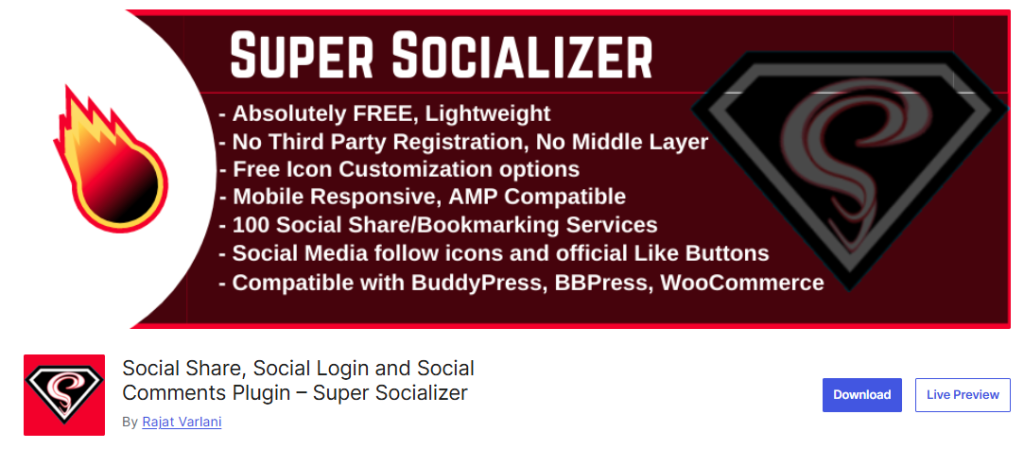
Super Socializer tries to cover multiple WordPress social media use cases at once. It combines social sharing buttons, social login, and social commenting into a single free plugin. For budget-focused sites, this breadth is its main appeal.
What Super Socializer Does Well
The plugin supports multiple social media services and allows users to share content, log in using social accounts, and comment through social profiles. It is flexible and does not lock features behind a paywall.
Pros
- Completely free
- Multiple social features in one plugin
- Supports many networks
- Active installation base
Cons
- Interface feels dated
- Requires careful configuration to avoid bloat
SEO and Performance Analysis
Super Socializer can be SEO-safe, but only if features are selectively enabled. Activating all modules increases script usage and can impact performance. Used narrowly as a WordPress social share plugin, it performs adequately. Used as an all-in-one solution, it can become heavy.
It is not a replacement for a dedicated WordPress social feed plugin.
Pricing
- Free
Verdict
Super Socializer is suitable for small sites that need basic social media buttons and social login without spending money. For performance-critical sites, restraint is required.
Better Click to Tweet Review
Category: Quote-based social sharing
Best for: Increasing Twitter sharing from content
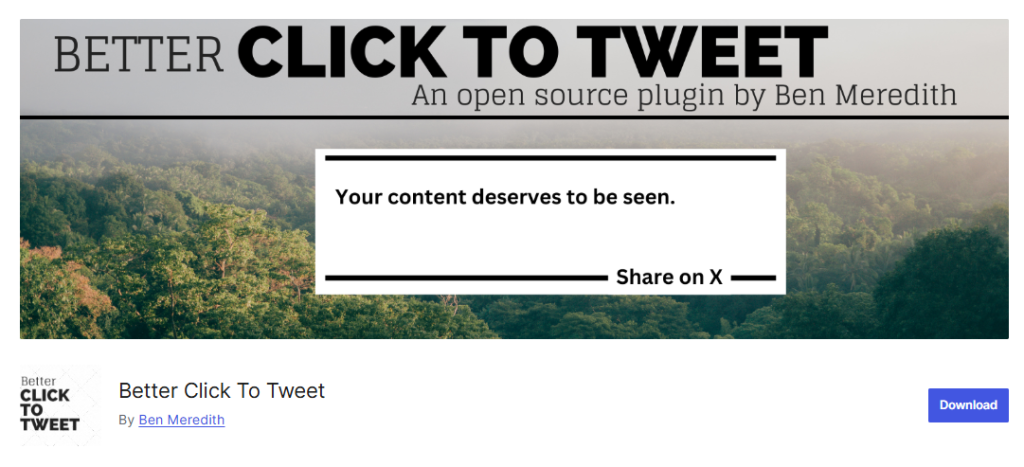
Better Click to Tweet is a focused WordPress social share plugin built around one platform, i.e., X (formerly Twitter). It does not try to manage feeds, automation, or broad social media buttons. Its goal is simple. Make specific quotes easy to share.
What Better Click to Tweet Does Well
The plugin allows you to highlight quotes inside content and turn them into clickable tweet boxes. These can be inserted using shortcodes or the block editor. This works well for opinion pieces, statistics, and sharp statements that invite sharing.
Pros
- Simple and lightweight
- Easy quote insertion
- No front-end clutter
- Works alongside other social media plugins
Cons
- Twitter-only focus
- Limited value for non-text content
SEO and Performance Analysis
Better Click to Tweet has minimal performance impact. It does not block rendering or affect Core Web Vitals. From an SEO perspective, it does not influence rankings directly. Its benefit is engagement. More shares can lead to more visibility, but that depends on content quality.
This plugin complements, not replaces, broader social share or WordPress social media solutions.
Pricing
- Free lite version available
- Paid version starts at $29.99 per year
Verdict
Better Click to Tweet is useful if Twitter is a meaningful channel for your audience. Otherwise, it is unnecessary.
Jetpack Review

Category: All-in-one WordPress social media suite
Best for: Centralized social features managed by Automattic
Jetpack is not a pure WordPress social share plugin. It is a bundled platform that includes sharing, auto-posting, subscriptions, stats, and more. This makes it attractive for teams that want fewer plugins, but risky for sites where performance and control matter.
What Jetpack Does Well
Jetpack handles auto-sharing new posts to connected social media services, adds basic social media buttons, and supports simple feed embeds. Everything is managed through a single dashboard backed by Automattic.
Pros
- Maintained by WordPress.com team
- Easy social auto-posting
- Multiple features in one plugin
Cons
- Feature bloat if modules are not disabled
- Adds external dependencies
- Limited customization compared to dedicated tools
SEO and Performance Analysis
Jetpack is SEO-safe only when trimmed down. Enabling unnecessary modules can increase script load and slow pages. Used narrowly for social share or auto-posting, it performs acceptably. Used as a full suite, it can hurt Core Web Vitals.
Jetpack should never replace a focused WordPress social feed plugin on performance-critical sites.
Pricing
- Free lite version available
- Paid plans start at $4.92 per month
Verdict
Jetpack works for users who value convenience over precision. For SEO-driven sites, selective module usage is mandatory.
myCred Social Share Addon Review

Category: Gamified social sharing
Best for: Rewarding users for sharing content
The myCred Social Share Addon is an extension, not a standalone social media plugin. It adds reward mechanics to social sharing buttons, granting points when users share or sell content. This makes it useful for communities and membership-driven sites.
What myCred Social Share Does Well
The addon integrates with myCred’s point system and tracks sharing actions across supported social media services. Rewards can be customized and tied into broader loyalty systems.
Pros
- Incentivizes sharing behavior
- Highly customizable reward logic
- Works well for communities and gamified sites
Cons
- Requires myCred core plugin
- Not useful without a points strategy
SEO and Performance Analysis
From a technical SEO perspective, the addon is safe. Scripts are light and event-based. Its value is behavioral, not algorithmic. Incentives can increase sharing volume, but quality content still matters.
It is not a WordPress social feed plugin and should be paired with a standard WordPress social share plugin.
Pricing
- Addon pricing varies
- Requires myCred core
Verdict
myCred Social Share Addon is effective only if gamification is part of your strategy. Otherwise, it adds unnecessary complexity.
Sassy Social Share Review

Category: Customizable social sharing buttons
Best for: Flexible design without paid upgrades
Sassy Social Share is a popular free WordPress social share plugin that emphasizes customization. It supports multiple networks and allows control over button layout and appearance.
What Sassy Social Share Does Well
The plugin offers flexible placement, icon styles, and network selection. It works across posts and pages and integrates cleanly with most themes.
Pros
- Completely free
- Highly customizable button styles
- Supports many social media services
Cons
- Share counts can lag or be inconsistent
- No automation or analytics
SEO and Performance Analysis
Sassy Social Share is generally SEO-safe. Script weight is moderate and does not block rendering. It performs well when limited to essential networks and placements.
It functions strictly as a social share solution, not as a WordPress social feed plugin.
Pricing
- Free
Verdict
Sassy Social Share is a solid free option if design control matters more than analytics or automation. Next review moves to Easy Social Share Buttons, a plugin offering deep integrations and AMP support.
Easy Social Share Buttons Review

Category: Advanced social sharing
Best for: Integration-heavy sites and AMP compatibility
Easy Social Share Buttons is a feature-rich WordPress social share plugin aimed at users who need extensive control and integrations.
What Easy Social Share Buttons Does Well
The plugin supports numerous display locations, animation styles, and integrations. It also offers AMP support, which is still relevant for certain publishing models.
Pros
- Extensive integration hooks
- AMP compatibility
- Broad network support
Cons
- Interface feels dated
- Can be heavy if over-configured
SEO and Performance Analysis
When carefully configured, the plugin is SEO-safe. Overuse of animations and display options can increase script load. AMP support is a plus for publishers still relying on AMP delivery.
Pricing
- Free and Pro options
- Pricing varies by license
Verdict
Easy Social Share Buttons is powerful but requires discipline. It suits advanced users who understand performance trade-offs.
Blog2Social Review

Category: Social media scheduling
Best for: Manual scheduling across multiple platforms
Blog2Social focuses on controlled content distribution rather than on-page social media buttons or social media feeds.
What Blog2Social Does Well
The plugin allows you to schedule posts manually for different platforms with customized formatting. This is useful when networks require different copy styles.
Pros
- Multi-platform scheduling
- Custom post formatting
- No front-end impact
Cons
- Limited content recycling
- Less automation than competitors
SEO and Performance Analysis
Blog2Social has zero front-end SEO risk. Its impact is indirect, supporting a consistent presence across social media services without affecting page speed.
It should be paired with a WordPress social share plugin for on-site sharing.
Pricing
- Free lite version available
- Paid plans available
Verdict
Blog2Social works well for teams that want control over how content appears on each platform rather than full automation.
Common Myths About WordPress Social Media Plugins
“They always slow down your site.”
False. Lightweight social media plugins like Novashare and AddToAny add minimal overhead. Performance issues come from overloading features, not from sharing itself.
“They hurt SEO.”
Incorrect. A properly configured WordPress social share plugin does not block crawling or indexing. Problems arise only when plugins inject heavy scripts or external dependencies.
“They cannot scale.”
Also false. Tools like Smash Balloon and Revive Social scale well when caching and automation are configured correctly.
How to Choose the Right Social Media WordPress Plugin in 2026
Use this framework instead of guessing.
Content Sites and Blogs
- Novashare or Social Warfare for social sharing buttons
- Smash Balloon for visible social media feeds
SaaS and SEO-Focused Sites
- Novashare for speed
- Revive Social for off-site distribution
WooCommerce and Growth Campaigns
- RafflePress for viral exposure
- myCred Social Share for incentives
Teams and Editors
- WP to Buffer or Blog2Social for controlled publishing
Wrap Up
Choosing the right social media plugins in 2026 is about clarity, not quantity. A focused WordPress social media setup should combine clean social sharing buttons, reliable social media buttons, and only necessary social media feeds through a well-optimized WordPress social share plugin. When these tools support real social media services without slowing your site, social share becomes an asset instead of technical debt.