


If you want to build a paid members area on WordPress, the plugin you choose will lock in many decisions. There is no single “best” WordPress membership plugin for everyone. That claim is false, if there is any.
The real question is which plugin fits your use case without creating problems six months from now.
This guide is written to help you decide, not browse. It compares the most used WordPress membership plugins in 2025. It is based on how they actually work inside WordPress.
We’ll focus on:
- What each plugin is best at
- Where it falls short
- Who should use it
- Who should avoid it
If you are building courses, communities, or paid content, this will save you time and bad choices.
Snapshot of The Best WordPress Membership Plugin (For Most Sites)
Here is the quick answer for the best WordPress membership plugin:
| Use case | Best choice |
|---|---|
| Best overall WordPress membership plugin | MemberPress plugin |
| Best paid membership plugin WordPress with free start | Paid Memberships Pro |
| Best WooCommerce memberships setup | WooCommerce Memberships |
| Best for profiles and communities | Ultimate Member |
| Best simple, no-frills option | Simple Membership |
| Best all-in-one WordPress membership plugin | ARMember |
MemberPress is the safest long-term choice for most sites. It handles payments, content restriction, and scaling without forcing workarounds later.
If your site already runs on WooCommerce, then WooCommerce memberships make sense. But only if you understand its limits and dependencies.
If budget matters, start with Paid Memberships Pro. It gives you room to test before you commit.
One warning upfront!
Choosing the wrong WordPress membership plugin is expensive to undo. Migration is painful. Plan for where your site is going, not where it is today.
How This WordPress Membership Plugin List Was Evaluated
Every WordPress membership plugin here was judged on how it behaves in real use.
These were the filters.
1. Content Restriction That Actually Works
A paid membership plugin for WordPress must restrict content cleanly.
Posts, pages, categories, custom post types.
If content leaks or rules get confusing, the plugin failed.
2. Payment and Subscription Handling
Payments are where most WordPress membership plugins break.
We looked at:
- One-time vs recurring payments
- Stripe and PayPal support
- How upgrades, downgrades, and cancellations are handled
For WooCommerce memberships, this matters more. Many people assume Woo handles subscriptions by default. It does not.
That’s where tools like YITH WooCommerce Subscription or Woo Subscriptions come in. Without them, most woo memberships fall apart.
3. Setup Reality Inside WordPress
Marketing pages lie. Setup time does not.
Each WordPress membership plugin was evaluated on:
- Initial setup time
- Rule clarity
- Admin UI sanity
- How many add-ons are required to feel “complete”
If a plugin needs five extensions to do basic work, that counts against it.
4. Scalability Without Rebuilding
Many sites start small. Few stay small.
I looked at:
- Unlimited vs capped membership levels
- Rule complexity at scale
- Performance impact on WordPress
- Migration difficulty later
The MemberPress plugin scores high here because it plans for growth early.
5. WooCommerce Compatibility. Not Assumptions
For stores, this was strict.
A real WooCommerce membership plugin must:
- Sync access with products
- Respect order status changes
- Work with subscription add-ons like YITH WooCommerce Subscription
If a plugin only “sort of” integrates, it was ranked lower.
6. Long-Term Maintenance and Adoption
Plugins that are not actively maintained become risks.
Signals considered:
- Update frequency
- Active installs
- Support responsiveness
- Roadmap clarity
A paid membership plugin WordPress users rely on must be stable for years, not months.
Top WordPress Membership Plugin Options in 2026
Here are the top options
MemberPress – Best for Courses and Paid Communities
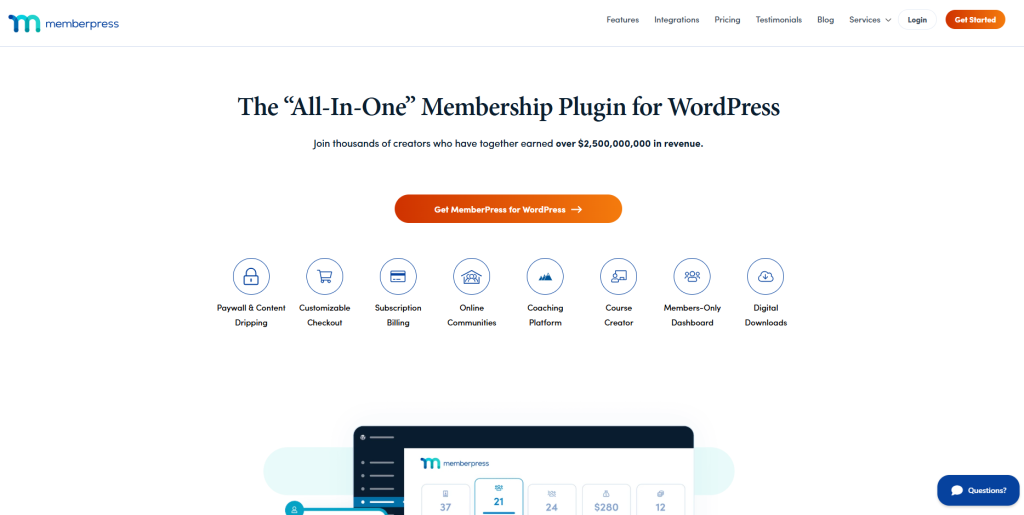
If you want a WordPress membership plugin that works out of the box and scales, the MemberPress plugin is the safest choice.
This is not a lightweight tool. It is built for paid content and long-term growth.
Who MemberPress Is For
MemberPress fits sites that plan to charge from day one.
Use it if you are:
- A course creator selling structured lessons
- Running a paid community or private content hub
- A coach offering gated resources or programs
If free access is your main goal, this is not the right tool.
Key Strengths of the MemberPress Plugin
Native LMS features
MemberPress includes courses, lessons, quizzes, and progress tracking. You do not need a separate WordPress LMS plugin to start.
Robust drip rules
You can release content by date, enrollment time, or lesson order. This matters for courses and retention.
Stripe and PayPal support
Recurring and one-time payments work without workarounds. Upgrades and cancellations are predictable.
This is why MemberPress is often picked over a generic paid membership plugin that WordPress users try first.
Gamification integration
MemberPress is integrated with myCred, which is a top WordPress gamification plugin. Through this integration, you can award points to the members who sign up for your membership site.
Limitations You Should Know
No free plan
There is no testing tier. You pay before you build.
Pricing scales fast
As your site grows, costs increase. This is fine for revenue sites, but not for experiments.
If the budget is tight, start elsewhere.
If your goal is courses or paid communities, the MemberPress plugin remains the most reliable WordPress membership plugin in 2026.
ARMember – Best All-in-One WordPress Membership Plugin

If you want an all-rounder membership plugin for your WordPress site, ARMember stands out as a reliable option.
This is a perfect balance of robust features and a user-friendly interface.
Who ARMember Is For
ARMember is the best fit for all WordPress site owners.
Go for it if you are:
- A content creator and blogger who wants to monetize their premium content
- A coach selling online courses and digital products
- Entrepreneurs offering paid subscriptions
- Organizations seeking to create an online community
It’s often chosen by people who want more control without using multiple plugins together. That makes sense.
ARMember Features That Matter
All-in-one membership system
ARMember comes with 57+ in-built addons for managing memberships, subscriptions, communities and awesome gamification elements in one plugin. You don’t need multiple addons to get a working setup.
Robust content restriction
You can restrict posts, pages, categories, custom post types and a lot more. Access rules are clear and easier to manage.
21+ payment gateways
It integrates with multiple popular payment gateways such as PayPal, Stripe, Authorize.Net and many more for secure transactions.
Built-in form builder and user management
With a simple drag and drop form builder, it lets you create membership login forms, registration forms, and profile forms with modern designs.
Things to Consider Before Choosing ARMember
Learning curve for advanced setups
Although the basic setup is simple, configuring advanced rules can take time.
Not a full LMS replacement
ARMember got an Online Courses Addon. But for structured online courses with deep progress tracking, it simply doesn’t work.
If you want an all-in-one plugin that handles memberships, subscriptions and content restriction in one place, ARMember is a solid pick.
Paid Memberships Pro – Best Paid Membership Plugin for WordPress

If you want to test a membership idea before committing money, Paid Memberships Pro is the most practical option.
It is one of the few paid membership plugins that WordPress users can start with for free, without hitting a hard wall immediately.
Who Paid Memberships Pro Is For
This plugin fits early-stage sites.
Use it if you are:
- Validating a membership idea
- Running a small paid content site
- Not ready to lock into a premium license
It is often the first WordPress membership plugin people install. That makes sense.
If you want a low-risk way to start, this is the best paid membership plugin WordPress users can try without an upfront cost.
WooCommerce Memberships – Best WordPress Membership Plugin for Stores

If your site already sells products, a WooCommerce membership plugin can make sense. But only when you understand how Woo handles access and subscriptions.
WooCommerce memberships are not a complete system on their own. They are access rules layered on top of Woo.
Who WooCommerce Memberships Is For
This setup fits store-first businesses.
Use it if you are:
- Selling products and want to add gated access
- Offering member-only discounts or content
- Running a Woo-based store with repeat customers
If you are building courses or communities, this is not the easiest path.
How Woo Memberships Actually Work
Product-based access
Memberships are granted when a product is purchased. Access ends when the product expires or is canceled.
Content and discount rules
You can restrict posts, pages, and products. You can also offer member pricing.
This is useful for stores. Less useful for pure content sites.
The Subscription Problem Most People Miss
Here is the hard truth.
Limitations You Should Consider
- Higher total cost once subscriptions are added
- Heavier load on WordPress
- Less flexibility for non-product content
This is not the best general WordPress membership plugin. It is a helpful WooCommerce membership plugin for the right store.
WooCommerce memberships do not handle subscriptions by default.
For recurring billing, you must use:
- WooCommerce Subscriptions, or
- YITH WooCommerce Subscription
Without one of these, your Woo memberships setup breaks as soon as you need recurring payments.
This is where many store owners make mistakes.
Ultimate Member – Best for Profiles and Community Sites
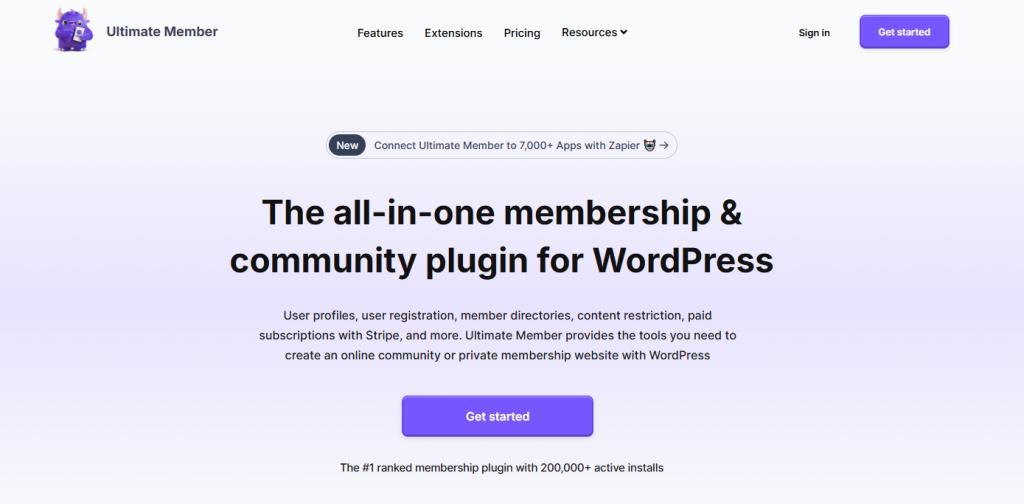
Ultimate Member is a different kind of WordPress membership plugin. It is built around users, not payments.
If profiles, directories, and community features come first, this plugin fits.
Who Ultimate Member Is For
Use Ultimate Member if your site is community-led.
Good fit if you are:
- Building a user directory
- Running a social or niche community
- Offering free access first, paid later
It is not designed for heavy monetization from day one.
What Ultimate Member Does Well
User profiles and directories
Profiles are the core feature. Frontend profiles, member lists, and custom fields work well.
Frontend registration and login
You can build clean signup and login flows without custom code.
Content restriction basics
You can restrict posts and pages. Enough for simple use cases.
Where It Falls Short as a Paid Membership Plugin
Payments are not native
Monetization requires paid extensions. Even then, billing logic stays basic.
Not built for complex subscriptions
If you need upgrades, downgrades, or advanced billing rules, this is not ideal.
Compared to the MemberPress plugin or other paid membership plugins WordPress users rely on, this feels limited.
If revenue is the goal, a more complete WordPress membership plugin will save you trouble later.
ProfilePress – Best for Custom Forms and Flexible Membership Sites

ProfilePress sits between simplicity and control.
It is a WordPress membership plugin for users who want to shape the experience without building everything from scratch.
Who ProfilePress Is For
ProfilePress fits sites that need customization.
Use it if you are:
- Building custom registration and login flows
- Running a membership site with varied roles
- Mixing content access with courses or gated resources
It is not the fastest tool to learn. But it gives you control.
Where ProfilePress Stands Out
Form and flow control
You can design registration, login, and profile forms using a visual builder. This helps when default flows feel limiting.
Payment and subscription support
Stripe and PayPal are supported. Recurring billing works without external tools.
LMS and content protection
ProfilePress works with popular LMS plugins and supports content restriction across WordPress.
This makes it a viable paid membership plugin that WordPress users choose when they outgrow basic tools.
Limitations to Be Aware Of
Learning curve
There are more settings. Expect time spent configuring things.
UI consistency
Some parts feel less polished compared to the MemberPress plugin.
It rewards patience. It punishes rushing.
If you want flexibility without fully custom development, this WordPress membership plugin is worth considering.
Other Notable WordPress Membership Plugins
These WordPress membership plugins do not fit everyone. But for specific cases, they work better than the big names.
Restrict Content Pro – Best for Developers
This WordPress membership plugin is clean and predictable.
Use it if you:
- Build custom sites
- Need full control over rules
- Prefer simple architecture
It avoids bloat. But it assumes technical comfort.
MemberMouse – Best for Analytics-Driven Businesses
MemberMouse focuses on data.
Good fit if you:
- Track churn closely
- Test pricing and offers
- Run high-volume memberships
It is powerful. It is also expensive and complex.
Paid Member Subscriptions – Best Budget-Friendly Option
This is a practical paid membership plugin WordPress users pick when cost matters.
Strengths:
- Simple pricing
- Works with WooCommerce and Elementor
- Enough features for small sites
Limits appear as the scale increases.
Simple Membership – Best Lightweight Plugin
Simple Membership does one thing.
It restricts content.
Use it if:
- You want basic protection
- You avoid complexity
- You do not need subscriptions
It is not built to grow with you.
WP-Members – Best for Basic Gated Content
WP-Members is minimal.
Good for:
- Blogs with a login wall
- Simple user access control
- No payment needs
As a long-term WordPress membership plugin, it is limited.
These plugins fill gaps. However, they are not full replacements for MemberPress or WooCommerce memberships.
How to Choose the Right WordPress Membership Plugin
Choosing a WordPress membership plugin should start with how you plan to make money. Not features or popularity.
Here is a clear mapping.
| Your goal | Plugin that fits |
|---|---|
| Sell online courses | MemberPress plugin, ProfilePress |
| Run a paid community | MemberPress plugin, Ultimate Member |
| Add memberships to a store | WooCommerce memberships |
| Start free, test demand | Paid Memberships Pro |
| Keep things simple | Simple Membership, WP-Members |
| Build custom logic | Restrict Content Pro |
If You Run a WooCommerce Store
Use a WooCommerce membership plugin only when products drive access.
And remember:
- Woo memberships need subscriptions for recurring billing
- Tools like YITH WooCommerce Subscription are not optional
- Total cost is higher than it looks
If Woo is not central to your business, skip this path.
If You Want Predictable Revenue
Use a paid membership plugin WordPress users trust for subscriptions.
That usually means:
- MemberPress plugin for structured content
- Paid Memberships Pro if the budget is tight early
Both handle recurring billing without hacks.
If Community Comes First
If engagement matters more than money:
- Start with Ultimate Member
- Add payments later if needed
Just know the limits.
What Are The Common Mistakes When Choosing a WordPress Membership Plugin
Most problems with membership sites come from early choices. Not from traffic.
Here are the mistakes to avoid.
Choosing WooCommerce Memberships Without Understanding Subscriptions
This one is common.
WooCommerce memberships do not handle recurring payments on their own.
You need Woo Subscriptions or YITH WooCommerce Subscription.
Without that, your Woo memberships setup breaks as soon as users expect monthly billing.
Starting Free With No Exit Plan
Many site owners start with a free WordPress membership plugin. That is fine.
What is not fine is ignoring migration.
Switching plugins later means:
- Rebuilding access rules
- Reassigning users
- Fixing payment history gaps
Free is not cheap if you move later.
Overbuying Enterprise Tools
Some people install heavy tools like MemberMouse on day one.
If you have:
- No traffic
- No members
- No revenue
You do not need enterprise analytics.
Start simple. Upgrade when it earns its place.
Ignoring Content Drip Limits
Not all plugins handle drip rules the same way.
If you plan to:
- Release lessons weekly
- Lock content by enrollment date
- Control access by progress
Check this before committing.
Treating Membership as a Side Feature
A membership site is not a blog with a paywall.
Your paid membership plugin WordPress choice affects:
- UX
- Payments
- Support load
Treat it as core infrastructure.
What is The Difference Between Free vs Paid Membership Plugins
Free plugins lower risk. They also cap growth.
A free WordPress membership plugin is fine when:
- You are testing demand
- You have a few users
- Revenue is uncertain
Paid tools cost more. But they:
- Handle subscriptions better
- Scale without workarounds
- Reduce migration pain later
Most serious sites outgrow free options fast. Plan for that.
What is The Difference Between Membership Plugin vs LMS Plugin
This is where many people get confused.
A membership plugin controls access and payments.
An LMS controls lessons and track progress.
Some tools, like the MemberPress plugin, blend both. Others do not.
If your site is:
- Course-first. Start with an LMS or a hybrid tool
- Access-first. Start with a membership plugin
Do not force an LMS to do membership work. Or the other way around.
Can You Switch Membership Plugins Later?
Yes. But it is never simple.
Switching means:
- Migrating users
- Rebuilding access rules
- Reconnecting payments
- Retesting every edge case
It is doable. It is also expensive.
This is why choosing the right paid membership plugin for WordPress users matters more than saving money upfront.
Final Word on What is The Best WordPress Membership Plugin
For most serious sites, the MemberPress plugin is the best WordPress membership plugin in 2026. It handles payments, content restriction, and growth without forcing rebuilds later. If you sell courses or run a paid community, this is the safest choice.
If the budget is tight or you are still testing, start with Paid Memberships Pro. It is the most practical paid membership plugin that WordPress users can use without paying upfront. Just plan your upgrade early.
Stop chasing features. Pick the plugin that matches how you plan to make money, and then build.