myCred-Email Digest helps you to deliver content by email to different user groups. Send email notifications periodically. Also, you can include and exclude certain user groups based on roles, ranks, and badges.

Email Digest
Features
Allows you to install and use this plugin on a single website or multisite installation.

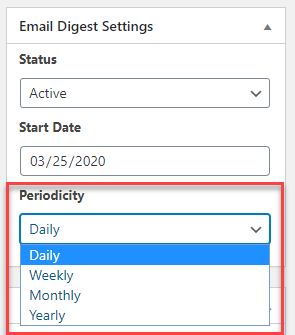
Send Emails Periodically
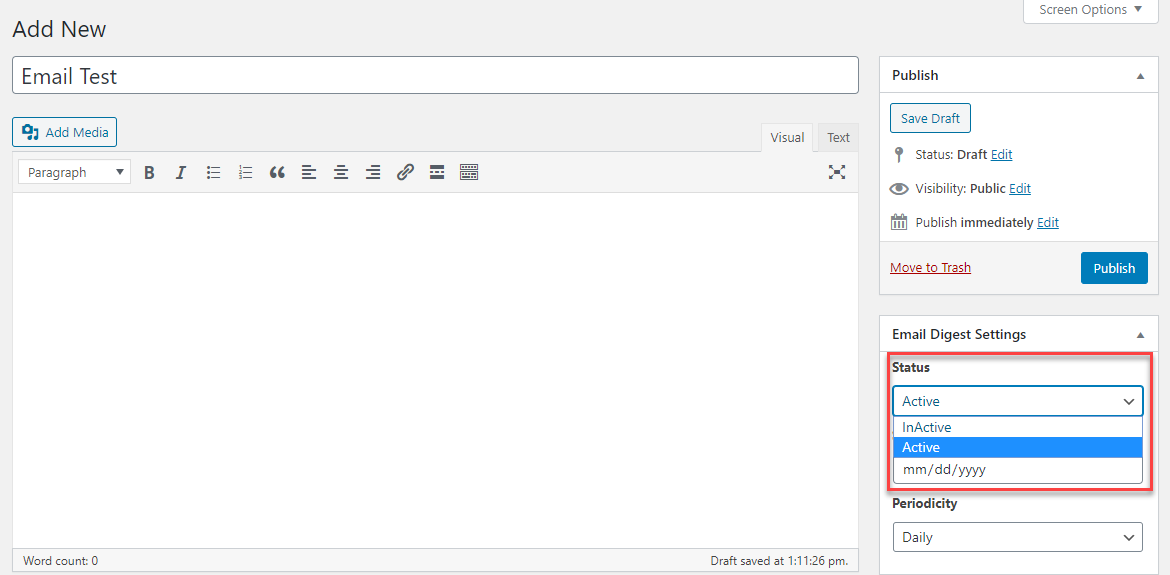
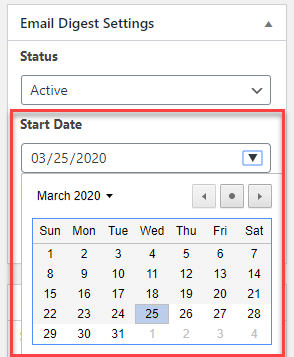
Set the period accordingly. Daily, Weekly, Monthly and Yearly.

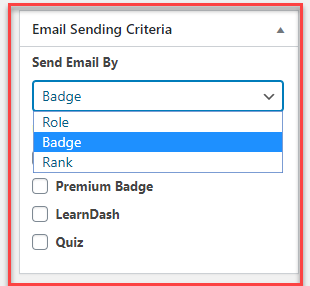
Set Email Criteria
Send Emails based on User role, badges or ranks.

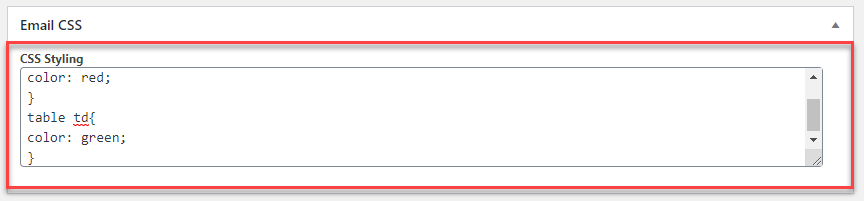
Custom CSS
Customize the styling of your email template.

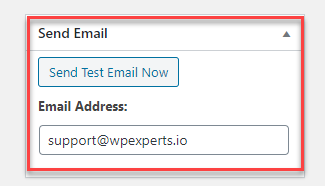
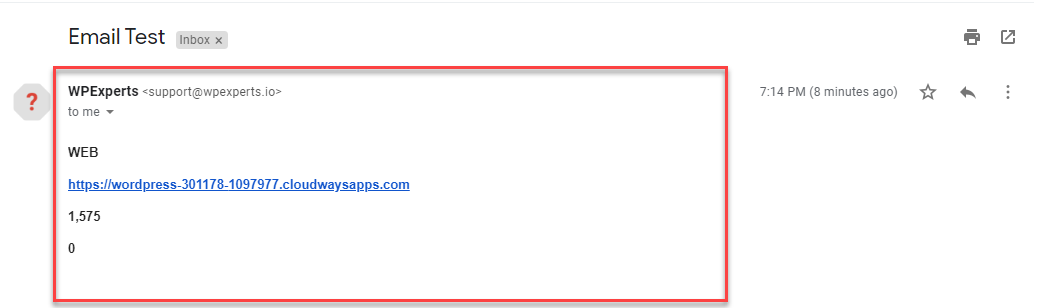
Test run
Send test email before setting up.

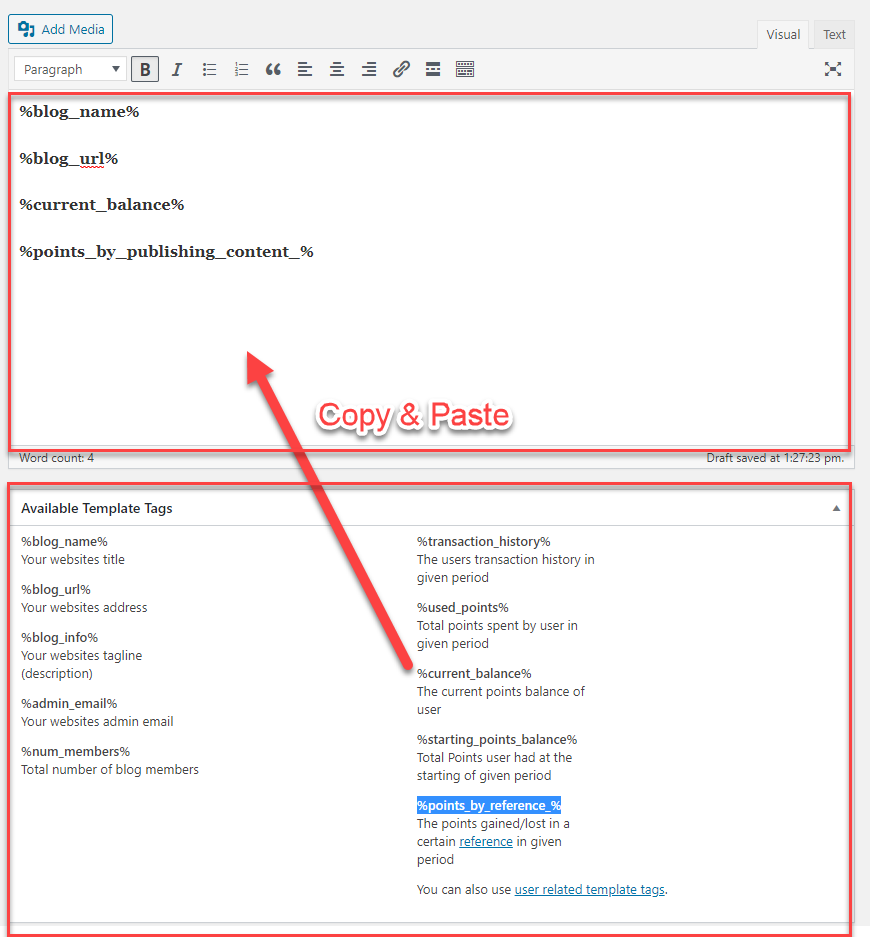
Pre-defined template tags
Use already available template tags.

Custom template tags
Enter myCred references tags in the email.

User template tags
Use myCred user based tags in the email.

Email Logs
Find complete record of the emails send.
myCred-Email Digest helps you to deliver content by email to different user groups. Send email notifications periodically. Also, you can include and exclude certain user groups based on roles, ranks, and badges.
Installation Guide
Please follow the below instructions step by step.
- Download the zip file from your mycred.me account > My Downloads
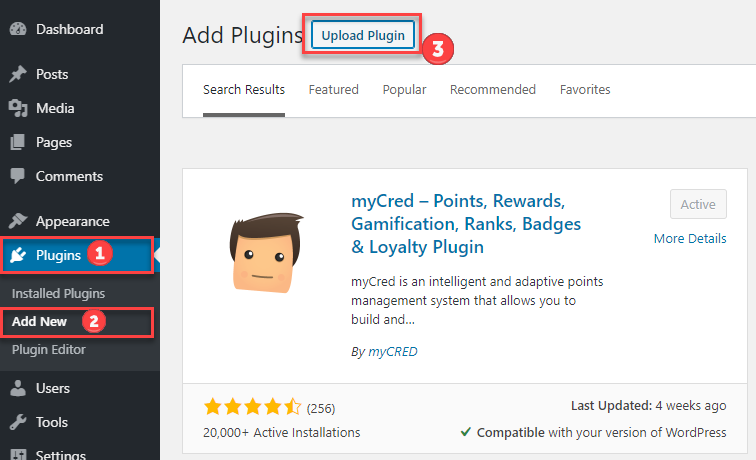
- Go to the WordPress Admin Dashboard > Plugins
- Once you are on the plugins page you can see the “Add New” button in the top left corner.
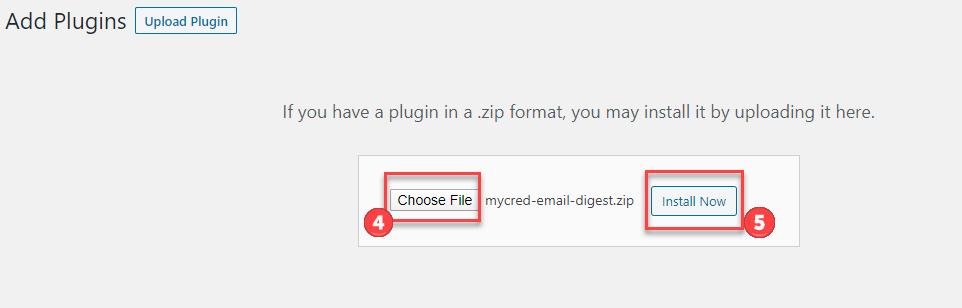
- Click the “Add New” button and upload the zip file of a plugin that you’ve downloaded from mycred.me account.
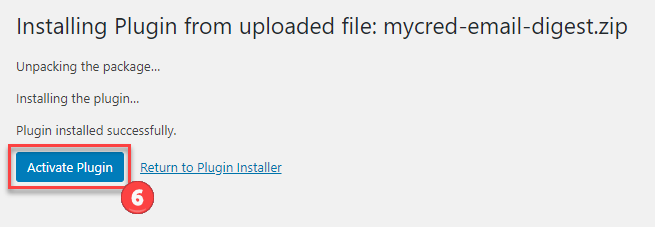
Once the plugin installed, click the “Activate” button.
To view the documentation
click here
Please follow the below instructions step by step.
- Download the zip file from your mycred.me account > My Downloads
- Go to the WordPress Admin Dashboard > Plugins
- Once you are on the plugins page you can see the “Add New” button in the top left corner.
- Click the “Add New” button and upload the zip file of a plugin that you’ve downloaded from mycred.me account.